Zombie Death guide
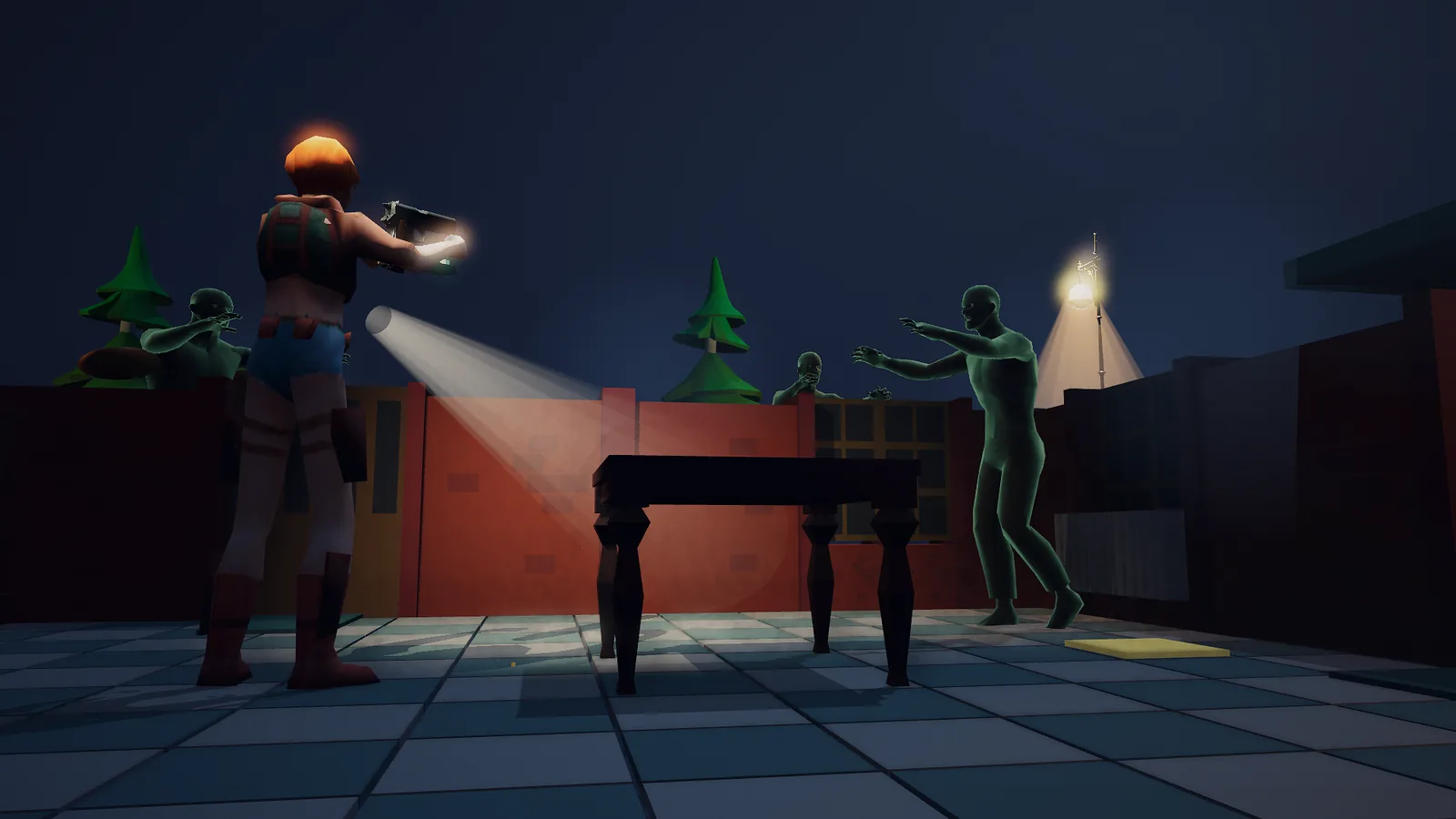
Zombie Death is a zombie survival game you play in your web browser, with no download. You look down on a small rest stop at night. Zombies come in waves, and you walk, aim, shoot and reload to stop them. Between waves you build barricades, turrets and spike traps. Stay alive for 10 waves to win!
This guide explains every part of the game, with real numbers from the game itself. New here? Start with your first game, step by step.
What do you do in Zombie Death?
You play one survivor with a pistol and a flashlight. You start inside a rest stop: a small building with two rooms, doors and windows. Outside are fuel pumps, cars, lamp posts and pine trees. The zombies come out of the dark all around it.
A game goes like this:
- A short break. A line at the top says "Get ready! Wave 1 is coming." and counts down the seconds.
- A wave comes. Zombies walk in from glowing orange spots outside. Shoot them before they reach you. Each zombie you stop gives you scrap, the game's building money.
- The wave ends. You get 20 more scrap and another break.
- You build. Open build mode and spend your scrap on barricades, turrets and spike traps. The next wave waits while you build.
- You start the next wave. Press Start next wave when you are ready.
Each wave has more zombies than the one before: 12 in wave 1 and 48 in wave 10. There are three kinds of zombies: walkers, runners and big ones. Clear wave 10 and the rescue truck comes. Then you can keep playing for as long as you last.
Who is the game for?
Zombie Death is made for kids from about 8 to 12, and for the grown-ups who play along. It is an action game with shooting, set at night. The zombies are made-up creatures, never people. When you hit them they spray green slime and fall over. There is no blood. Easy mode lets you get back up when the zombies get you. Grown-ups can read the page for grown-ups for all the facts.
Which devices can you play on?
You play in the web browser on a computer, a phone or a tablet, like an iPad or an Android tablet. Use a keyboard and mouse, a game controller or touch. On a phone or tablet you hold the screen sideways, because the game is played in landscape. Every key and button is on the controls page.
How do you get the full game?
You can try Zombie Death in the demo, right in your browser. The full game is part of the Contenta Games membership, which opens every game on the portal. See what a membership gives you. If you join while you play, your game carries on where you were.
All pages in this guide
Getting started
- Your first game, step by step: the first ten minutes, from the save slots to your first turret.
- Controls: every key, controller button and touch button, also in build mode.
- Tips for new survivors: easy habits that keep you alive longer.
Waves, zombies and building
- All 10 waves: how many zombies come, where they come in, the breaks, and what happens after wave 10.
- Zombies: walkers, runners and big ones, how tough they are and how to stop them.
- Barricades, turrets and spike traps: what each one costs and does, upgrades, fixing and taking apart.
- The rest stop: the building, its doors and windows, the furniture and the eight places where zombies come in.
Help and more
- Saving and save slots: how the game saves, and what happens when the zombies get you.
- Easy mode and settings: how to make the game gentler, quieter or smoother.
- Advanced tips: how to spend your scrap well and win waves 8 to 10.
- FAQ: quick answers to the questions players and grown-ups ask most.
- For grown-ups: content, saving, devices and languages.
- Glossary: every game word explained.
More action games
Like fast action? Try the Squad Rush guide for arcade action, or sail into sea battles with the Caribbean Corsairs guide. All our player guides are on the guides page.
Next
Read your first game, step by step, or jump straight in and play Zombie Death.
Start here
- Zombie Death for beginners: your first game, step by step How to start Zombie Death: pick a save slot, learn to walk, shoot and reload, survive wave 1 and build your first turret, step by step for new players.
- Zombie Death controls: keyboard, controller and touch Every Zombie Death control: keyboard and mouse keys, controller buttons and touch controls on a phone or tablet, plus build mode and menus.
Strategy tips
- Zombie Death tips for beginners: survive longer Easy Zombie Death tips for new players: where to build first, when to reload, how to run, how to use free furniture and how to handle runners and big ones.
- Zombie Death advanced tips: scrap, upgrades and wave 10 Advanced Zombie Death strategy: how to spend your first 150 scrap, when to upgrade, how to hold big ones and where to stand in waves 8 to 10.
Levels and missions
- Zombie Death waves: all 10 waves and what comes after Every wave in Zombie Death from 1 to 10: how many walkers, runners and big ones come, where they come in, how the breaks work and the endless waves after.
Lists and facts
- Zombie Death zombies: walkers, runners and big ones All three zombies in Zombie Death: how fast and tough walkers, runners and big ones are, how hard they bite, what scrap they give and how to stop each one.
- Zombie Death building: barricades, turrets and spike traps Everything you can build in Zombie Death: barricade, turret and spike trap costs, upgrade levels, fixing and refilling, taking apart and moving furniture.
- Zombie Death glossary: every game word explained What the words in Zombie Death mean: scrap, wave, walker, runner, big one, barricade, turret, spike trap, upgrade, Fix and refill, build mode and more.
The world
- The rest stop map in Zombie Death: doors, windows, furniture The one map in Zombie Death: the rest stop building, its two rooms, four doorways and eleven windows, the furniture and the eight places where zombies come in.
Questions and answers
- How saving works in Zombie Death: save slots and Keep going How Zombie Death saves your game: three save slots, saving by itself every few seconds, Save and pause, Keep playing or New game, and what happens if you fall.
- Zombie Death easy mode and settings: make the game gentler How to make Zombie Death easier and calmer: turn on Easy mode, set Moving effects to Calm, change music and sound, and pick graphics for a slow device.
- Zombie Death FAQ: questions and answers Answers about Zombie Death: is it free, is it scary, what age it suits, iPad, Android and phones, controllers, saving, easy mode and how to win all 10 waves.
For grown-ups
- Zombie Death for parents: what the game is like Facts for parents about Zombie Death: what kids do in this zombie survival game, notes on shooting and spookiness, saving, devices, languages and easy mode.


