Zombie Death controls: keyboard, controller and touch
You can play Zombie Death with a keyboard and mouse, with a game controller, or with touch on a phone or tablet. You walk with W A S D, the left stick or your left thumb, and you aim and shoot with the mouse, the right stick or your right thumb. The game shows the key or button names for whatever you used last, and hides them while you play on touch.
Keyboard and mouse controls
| What you want to do | Key or button |
|---|---|
| Walk | W A S D or the arrow keys |
| Aim | Move the mouse |
| Shoot | Left mouse button (hold it to keep shooting) |
| Reload | R |
| Run | Hold Shift |
| Open or close build mode | B |
| Pause | P or Esc |
| Try again after the zombies get you | Enter or Space |
Your pistol also reloads by itself when it is empty. With only a keyboard you can walk, build and use every menu. To aim and shoot you need a mouse, a controller or touch. The Tab key reaches the Pause and Credits buttons.
Build mode on the keyboard
Press B to open build mode. Each button shows its key next to the name. The Build button turns into Done while build mode is open.
| Button | Key | What it does |
|---|---|---|
| Move | 1 | Pick furniture or something you built, then move it |
| Barricade · 20 | 2 | Pick the barricade |
| Turret · 75 | 3 | Pick the turret |
| Spike trap · 30 | 4 | Pick the spike trap |
| Turn | R | Turn what you are placing |
| Fix and refill · 20 | E | Fix the picked thing and fill it up |
| Upgrade | U | Make the picked thing stronger |
| Take apart | X | Take the picked thing apart for some scrap |
| Cancel | Esc | Stop what you are doing |
| Done | B | Close build mode |
Pick a tool, then click the floor near you. A green shape shows where it fits; red means it does not. To move something, press 1, click the piece, then click a green spot. Start next wave and Save and pause are buttons you click. While build mode is open, Esc cancels instead of pausing.
Controller (gamepad) controls
Use an Xbox-style controller, or any controller your browser reads as a standard gamepad.
| What you want to do | Button |
|---|---|
| Walk | Left stick |
| Aim | Right stick |
| Shoot | RT (hold it to keep shooting) |
| Reload | X |
| Run | Hold the left stick pressed in |
| Open or close build mode | Y |
| Pause | Start |
| Try again after the zombies get you | A |
The sticks ignore small pushes, so a stick at rest never moves you. Push further to go faster.
Build mode on a controller
| Button | What it does |
|---|---|
| LB and RB | Pick a tool: Move, Barricade, Turret or Spike trap |
| A | Build, or pick something, in front of you |
| X | Turn |
| B | Cancel |
| D-pad up | Fix and refill |
| D-pad right | Upgrade |
| D-pad down | Take apart |
| D-pad left | Start next wave (in the break only) |
| Y | Done: close build mode |
The build spot is just in front of you, where you aim. The left stick still walks while build mode is open, so walk to the spot you want.
Menus with a controller
Use the d-pad or the left stick to move between buttons. Left and right also change a slider or the language. Press A to press a button and B to go back.
Touch controls on a phone or tablet
| What you want to do | Touch |
|---|---|
| Walk | Drag your left thumb anywhere on the left side |
| Aim and shoot | Drag your right thumb on the right side. You shoot while you push. |
| Reload | The round Reload button |
| Run | The round Run button. Tap it once to run, and again to walk. |
| Build | The Build button, then tap a tool and tap the floor |
| Pause | The Pause button at the top right |
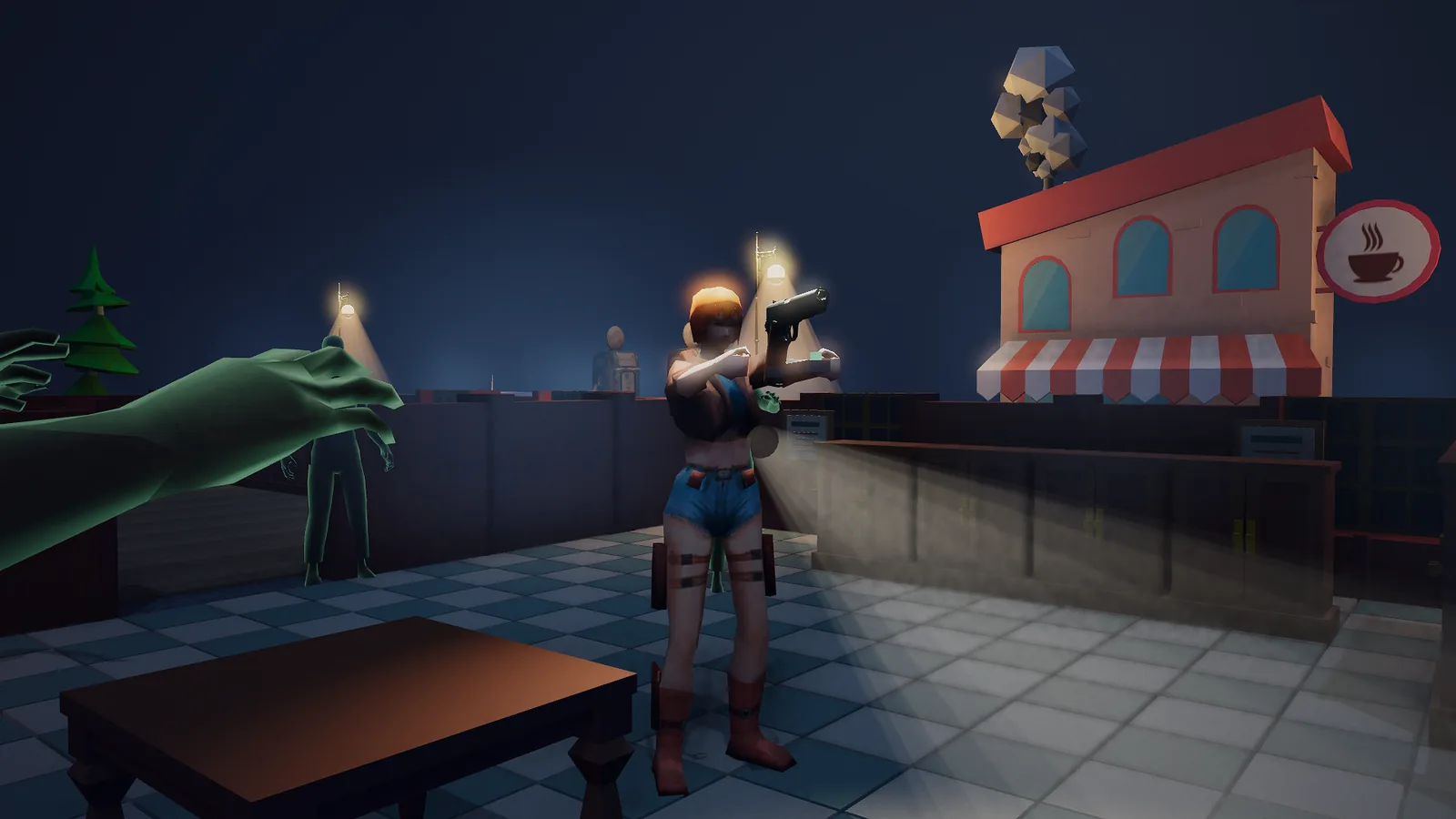
Hold your phone or tablet sideways. If you hold it upright, a card says "Turn your device sideways to play." On Android, your first touch also asks for full screen and keeps the screen sideways. On touch the game hides the key names, so the screen stays clean.
Which control does what, side by side
| Action | Keyboard and mouse | Controller | Touch |
|---|---|---|---|
| Walk | W A S D or arrows | Left stick | Left thumb |
| Aim | Mouse | Right stick | Right thumb |
| Shoot | Left mouse button | RT | Push the right thumb |
| Reload | R | X | Reload |
| Run | Shift | Press the left stick | Run |
| Build mode | B | Y | Build |
| Pause | P or Esc | Start | Pause |
You cannot shoot in build mode
While build mode is open, you can walk but you cannot shoot or reload. In the break that is fine, because the next wave waits. During a wave the zombies keep coming! The game warns you: "Careful! The zombies keep coming while you build!" Close build mode before a fight.
The pause screen
Press P or Esc, Start on a controller, or the Pause button. The game waits while the pause screen is open. It has:
- Resume: back to the game.
- Save slots: go back to the three save slots.
- Show tips again: the first-game hints once more.
- The goal: "Stay alive for 10 waves to win!"
- Settings: volume, music, sound effects, sound on or off, moving effects, graphics and language. They are explained on Easy mode and settings.
- Easy mode: on or off.
- Controls: the lists for keyboard and mouse, controller and touch.
- Credits: the artists who made the models and the music.
See also
- Your first game, step by step: practise each control.
- Barricades, turrets and spike traps: what to build with these buttons.
- Tips for new survivors: how to move and shoot well.
- FAQ: controllers, phones and tablets.
- Ready? Play Zombie Death, or see all our game guides.


