Air Racer first flight: your first 10 minutes
Your first ten minutes in Air Racer go like this: pick a save slot, say hello to Grandpa, fly a short guided practice, then race Harbour Sprint for your first medal and coins. This page walks you through each step, so you always know which button comes next.
Step 1: pick a save slot
When the game opens, you first see the Contenta intro and the Air Racer intro. You can press Skip to jump past them. Then the game asks you to Choose your adventure.
There are three save slots: Save 1, Save 2 and Save 3. An empty slot says Not played yet. Pick one and press New game. Next time, pick the same card and press Continue. Each slot keeps its own coins, planes, medals and best flights, so a brother or sister can have their own. Read more on settings and saving.
Step 2: meet Grandpa
The menu opens before your first flight, with the title Ready to fly? Grandpa says hello: he gives you his old Trainer, a gentle plane for learning, and offers to teach you to fly. You can learn more about him on Grandpa and the rival pilots.
Under Your next goal you see Your first practice flight and a big button: Start guided practice. Below it is the Fly! button and the menu tiles:
| Tile | What it opens |
|---|---|
| Learn to fly | Five short lesson cards with Grandpa |
| Practice | Guided practice, or practice from any gate |
| Courses | All courses, medals and rival races |
| Hangar | Planes to buy and paints to pick |
| Your race times | Your ten fastest flights and friend challenges |
| Controls | The keys or buttons for the device you are using |
| Settings | Sound, flying, touch, camera, graphics and language |
The coin count sits at the top of the menu. It starts at 0.
Step 3: learn to fly (optional)
Press Learn to fly for five quick cards. Grandpa explains:
- How the stick works: roll left and right, climb and dive.
- How to turn: bank into the turn, then pull back gently. Fly between blue pylons with your wings level.
- How to slow down before the slalom with the air brake and engine power.
- Red gates: roll a quarter turn so your wings point up, then roll back.
- Rings and single poles, and then off to practice.
Use Next and Previous tip to move between cards. After the fifth card, the button takes you to Practice. Every key and button is also on the controls page.
Step 4: guided practice
Start guided practice puts you in the Trainer on Harbour Sprint with the helper on. It shows Practice · no coins or race records, so nothing can go wrong. The plane waits for you at each step:
- Turn a little. Press A or D (or ← / →), push the left stick a little, or slide the touch stick.
- Let go. Give the helper a moment to level your wings.
- Add power briefly. Press F or Shift, the right trigger, or the + button.
- Fly through the gold-marked gate. Make small corrections.
If a step goes wrong, press Retry this step. When you are done, the game says Ready to race! and offers Race Harbour Sprint. You can also press Leave practice.
Step 5: race Harbour Sprint
Harbour Sprint has 11 gates over the fjord. You start just before the green and white start gate. Don't go faster than 370 km/h through it, or you get extra seconds. The Trainer's top speed in level flight is just under that, so you are fine for now.
While you fly, the screen shows:
- Speed in km/h, Height in metres, G and Time.
- Gate 1 of 11, and what to do at the next gate, like Wings level or Pass on the left.
- A gold marker over the next gate, with its distance.
- Penalties, the extra seconds you have collected.
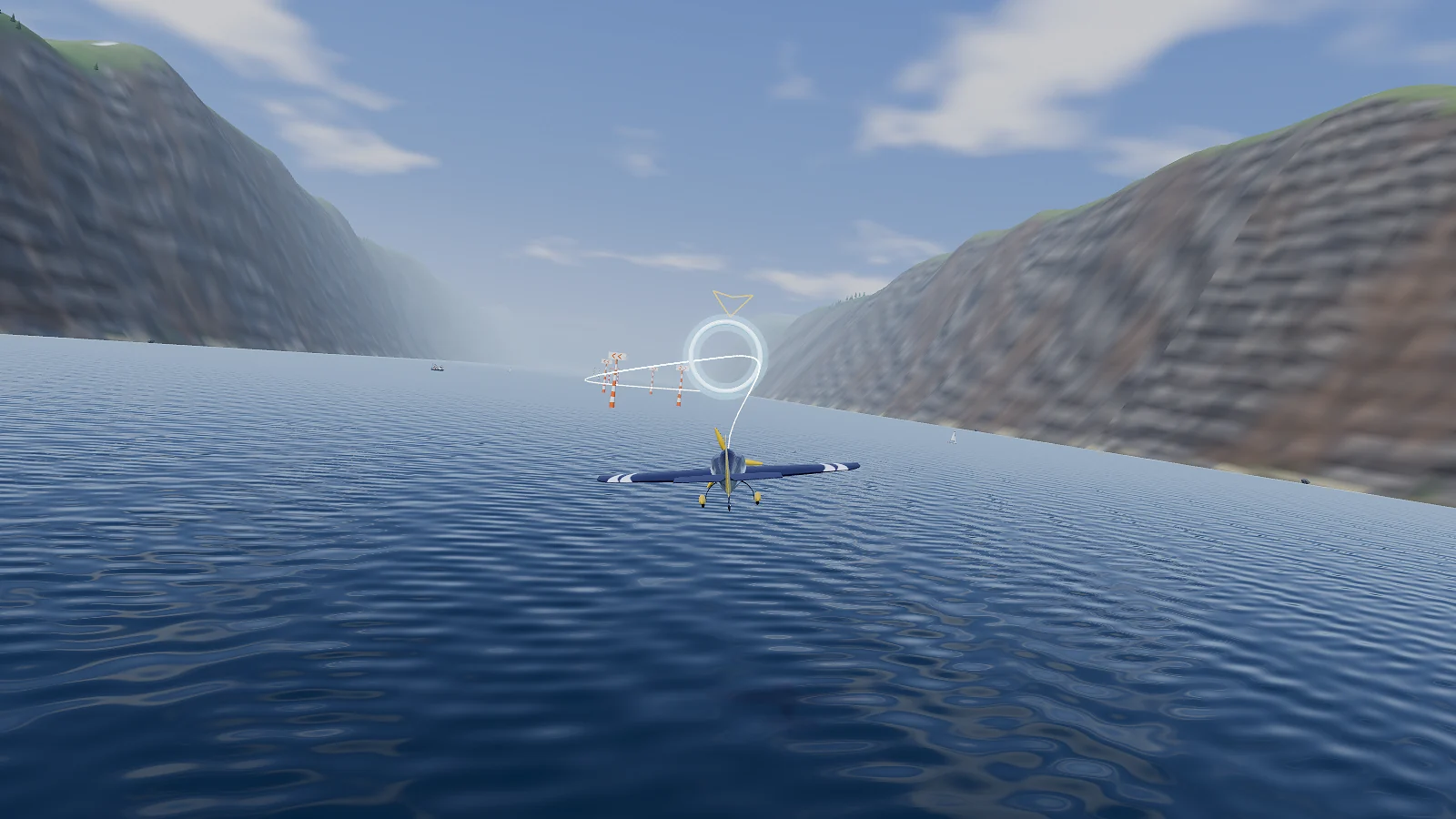
The course goes: start gate, two blue wings-level gates, a ring, a slalom of four orange poles, a red wings-upright gate, one more blue gate and the yellow and black finish. Each gate type is explained on gates and penalties.
Step 6: read the result screen
When you cross the finish, you see You made it! and Your time. If you had penalties, a line shows your flying time plus the extra seconds. If you won a medal, you see it with your coins, like "Bronze · You earned 300 coins!". If not, the game tells you how much faster to fly for the next medal.
The buttons are:
- Try again (R): fly the same course again.
- Watch this flight: a replay of the race you just flew.
- Watch your best flight: a replay of your best one.
- Hangar and Courses: open those menu pages.
- Next course: go on to the next course.
If you crash, you see a short message instead, like "Oops! You flew into the ground or the water." Just press Try again. There is no game over. Crashes cost nothing, but they pay no coins either.
Step 7: what to do next
- Fly Harbour Sprint again and race your blue shadow. See shadows and replays.
- Finish it once to unlock Fjord Slalom, then Waterfall Loop. See all nine courses.
- Save up coins for the Racer. See planes and paints.
Common first-day mistakes
| What happens | Why | Fix |
|---|---|---|
| The plane dives when you want to climb | Like a real plane, S or ↓ lifts the nose | Turn on Swap up and down in Settings if you prefer |
| "Wings were not right!" | You flew a gate tilted | Line up early and let the helper level the wings |
| "Missed a gate!" | You passed beside it | Follow the gold marker and look at the next gate |
| The plane slowly sinks | Too little speed | Add power and lower the nose a little |
See also
- Tips for new pilots to make your laps cleaner.
- How to fly the plane for climbing, turning, engine power and the air brake.
- Controls for keyboard, controller and touch.
- Ready? Play Air Racer.


