Caribbean Corsairs: your first battle, step by step
Your first battle in Caribbean Corsairs is The Smuggler’s Cove: you against two rival ships on a sunny morning sea. Short sailing lessons show you one thing at a time, so you learn by doing. This page walks you through it, from the very first screen to your first gold.
Step 1: Pick a save slot
When the game opens, you see the Contenta Games logo and then the game's own title with an anchor. Press Skip if you want to go faster.
Next comes Save slots, with three cards: Save 1, Save 2 and Save 3. An empty card says Not played yet. Press New game on one of them. Each slot is its own game with its own gold, so a brother or sister can use another slot. More about this on Gold, unlocks and save slots.
Step 2: Look around the harbour menu
Now you are on the main menu. On the right is Choose your battle, the list of the three battles. Battle 01, The Smuggler’s Cove, is already picked, and it says 2 rivals left. The other battles say Win the previous battle first until you open them. In the demo, they say Members' battle instead.
Useful buttons on this menu:
| Button | What it does |
|---|---|
| Set sail → | Starts the battle that is picked in the list. |
| How to sail | A short help card with all the controls. |
| ⚙ | Opens Ship settings (sound, graphics, language, camera). |
| Save slots | Goes back to the three save cards. |
| Sound: On | Turns all sound on or off. |
| ⛶ | Full screen, for more room on a phone or tablet. |
You can also pick your language from the list at the top. Then press Set sail.
Step 3: Raise your sails
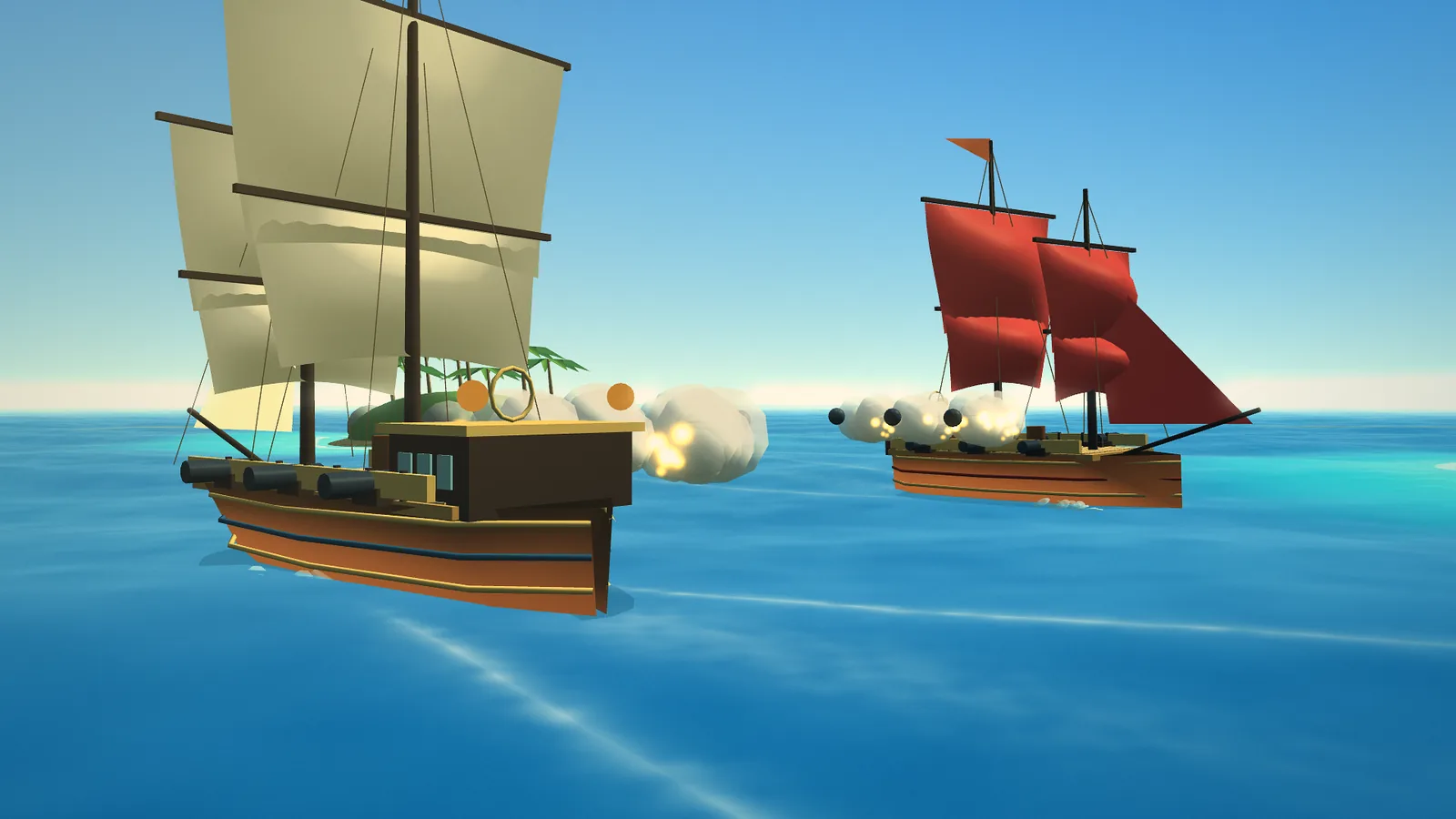
The battle starts. Your ship is the one with ivory sails, and your sails are half up. A line near the top left of the screen gives you your first lesson. With a keyboard it says:
Hold W to raise your sails and get moving.
On a controller it says RT, and on a touch screen it says + Raise sails. Hold it until the Sails gauge at the bottom is almost full. Your ship speeds up slowly, like a real ship. The lesson moves on when your sails are at 80% or more.
Step 4: Steer
The next lesson says Now steer your ship with A / D (the left stick on a controller, ↶ ↷ on a touch screen). Turn left or right. Notice that your ship turns better when it is moving fast. All the steering details are on Sailing your ship.
Step 5: Line up a rival
Now the line says Turn until a rival is right beside you, in a gold lane. Look for a red-sailed ship. You want it next to your ship, on the left or the right, not in front. When it sits in the gold dashed lane, its hull bar turns gold and the screen says Rival in your firing lane — fire!
Step 6: Fire!
The lesson says Fire that side's cannons with Q / E! Use Q if the rival is on your left and E if it is on your right. On a controller use LB or RB, and on a touch screen use the big cannon buttons. Three cannonballs fly out of that side.
Step 7: Sail away while you reload
The button for the cannons you just fired counts down the seconds. The lesson says Your cannons are reloading. Sail away until they say READY! Turn away from the rival and keep moving. When both sides say READY, you see Well done, captain! Now sink every rival. The lessons are done.
Step 8: Sink both rivals
Now it is up to you. Do the same thing again: line up, fire, sail away, come back. A rival in this battle needs four cannonball hits, so one full broadside is not quite enough. See Cannons and broadsides for the numbers.
If your hull drops to half, the message Hull below half! Repair now: R. appears and the Repair button glows. Press R (Y on a controller), and your hull gets 55 back. You have two repairs. More on Hull, damage and repairs.
Step 9: Your first gold
Sink both rivals and the screen says The sea is yours! You win + 120 GOLD. The card also shows Hits, the share of your cannonballs that hit a ship, and Battle time. Under it is a tip for the next battle, which has three rivals.
Press Next battle to go on, or Back to port to go to the menu. In the demo, Next battle shows a card about the members' battles. Your gold is saved by itself.
What if you sink?
The screen says Ship overboard! and Your crew is safe. It shows a tip and your Hits. Press Try again and you start the battle again with a full hull and two new repairs. You can try as often as you like.
Did you skip the lessons?
You can press Skip next to a lesson line at any time (the View or Back button on a controller does the same). To see the lessons again, pause the game and choose Sailing lessons.
Next
- Tips for new captains: easy habits for the next battles.
- The three sea battles: what waits in battles 2 and 3.
- Controls and Ship settings: all the buttons in one place.
- Ready? Play Caribbean Corsairs, or find more games on the guides page.


