Jede 3D-Datei – im Format, das Sie wirklich brauchen
Ziehen Sie einen Ordner mit STEP-, IGES-, STL-, OBJ-, 3MF- oder glTF-Dateien hinein und konvertieren Sie alle im Stapel — mit Mesh-Reparatur, Einheitenumrechnung und Baugruppen-Unterstützung. Desktop-Alternative zu CAD Exchanger, Einmalkauf, kein Abo für $590/year. Powered by OpenCascade.
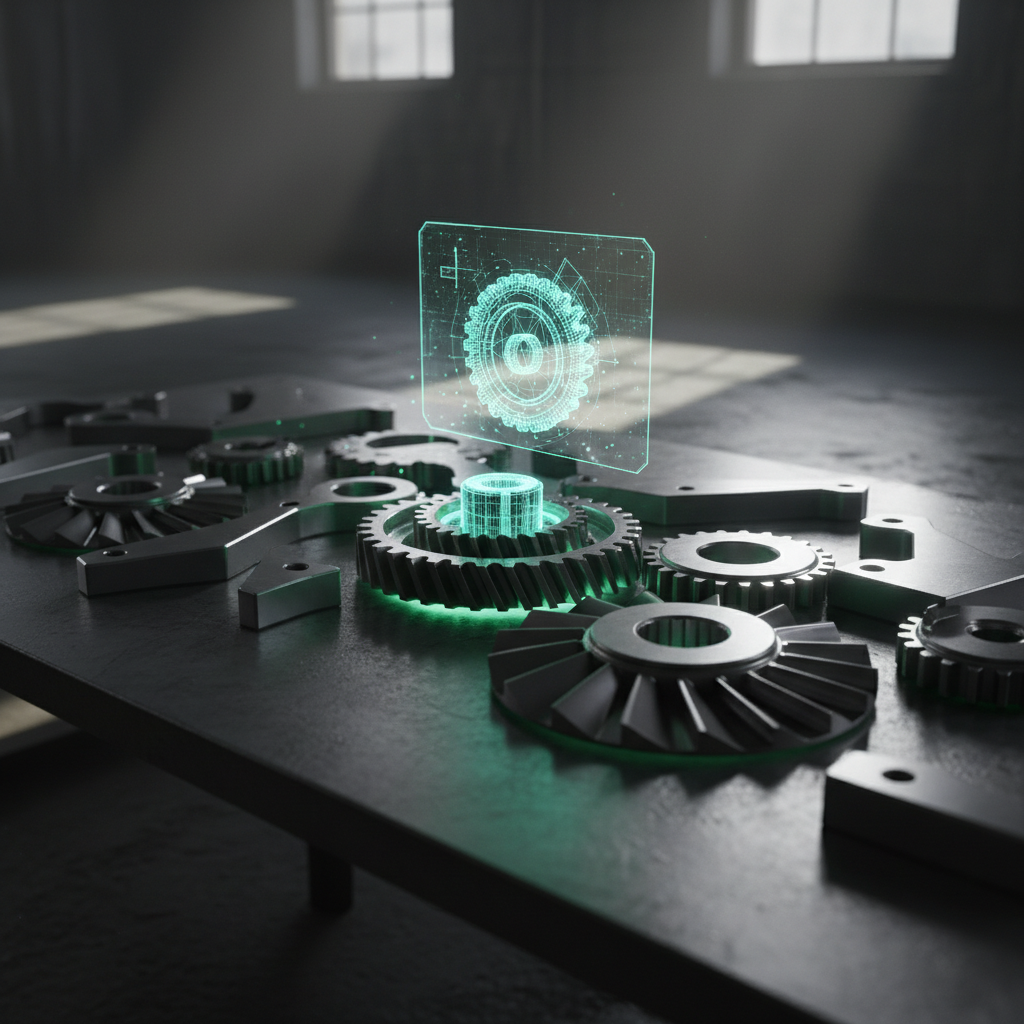
Alle 3D-Formate, die Sie benötigen
Konvertieren Sie zwischen STEP (AP203, AP214, AP242), IGES, STL (ASCII & binär), OBJ (mit MTL), 3MF, VRML, DXF (3D), PLY, BREP, glTF/GLB, FBX, Collada (DAE), AMF, X3D und OFF.
Professionelle 3D-Konvertierungstools
Alles, was Sie benötigen, um 3D-Modelle für die Herstellung, den Druck, die Visualisierung und die Archivierung in Batch zu konvertieren, zu reparieren und vorzubereiten.
Batch-Formatkonvertierung
Konvertieren Sie ganze Ordner zwischen beliebigen unterstützten Formaten. STEP zu STL für 3D-Druck, IGES zu STEP für CAD-Austausch, OBJ zu 3MF für additive Fertigung. Ordner per Drag-and-Drop hinzufügen, Ausgabeformat festlegen, auf Konvertieren klicken. Dateinamensvorlagen mit Variablen ({filename}, {format}, {date}).
Netzreparatur & -optimierung
Automatische Netzheilung behebt nicht-manifold Kanten, Selbstüberschneidungen, degenerierte Flächen und offene Löcher. Reduzieren Sie die Polygonanzahl bei gleichzeitiger Beibehaltung der Formgenauigkeit. Entfernen Sie doppelte Scheitelpunkte und nicht referenzierte Geometrie. Unverzichtbar für die Vorbereitung von Modellen für den 3D-Druck — fangen Sie Fehler ein, bevor sie Filament und Maschinenzeit verschwenden.
Einheiten- & Koordinatensystemkonvertierung
Konvertieren Sie automatisch zwischen mm, cm, Zoll, Metern und Fuß während des Imports. Beheben Sie Achsenausrichtungsfehler (Y-up zu Z-up, Linkshänder zu Rechtshänder). Kritisch für den CAD-Austausch zwischen mehreren Anbietern, bei dem ein Team Millimeter und ein anderes Zoll verwendet — eine falsche Einheit kann einen CNC-Lauf von 50.000 $ ruinieren.
3D-Vorschau & Inspektion
Integrierter 3D-Viewer mit GPU-beschleunigter Darstellung. Überprüfen Sie Modelle vor und nach der Konvertierung. Drahtgitter-, Solid- und Röntgenanzeigemodi. Messen Sie Abstände, Winkel und Begrenzungsrahmen. Überprüfen Sie die Konvertierungsqualität, ohne Ihre CAD-Software zu öffnen.
Tessellation-Kontrolle
Feinabstimmung der STEP/IGES zu Mesh-Konvertierung mit einstellbarer Chordabweichung, Winkelabweichung und maximaler Kantenlänge. Vorschau der Tessellationsqualität in Echtzeit. Low-Poly-Ausgabe für Web-/Spiel-Assets, High-Poly für präzise Fertigung. Qualitätsvorgaben: Entwurf, Standard, Fein, Ultra.
Metadaten- & Eigenschaftenbewahrung
Bewahren Sie Teilnamen, Farben, Materialien und die Struktur der Baugruppe während der Konvertierung. Extrahieren Sie Metadaten in CSV/JSON zur Erstellung von Stücklisten (BOM). STEP AP214 Produktdaten, IGES Entitätsbezeichnungen und STL Solidnamen werden alle bewahrt, wo die Formate sie unterstützen.
CLI & Automatisierung
Vollständige Befehlszeilenschnittstelle für das Skripting von Batch-Konvertierungen. Der Überwachungsmodus überwacht ein Eingabeverzeichnis und konvertiert eingehende Dateien automatisch. Profildateien speichern Konvertierungsvorgaben. JSON-Ausgabe für die Pipeline-Integration. Exit-Codes für CI/CD. Perfekt für automatisierte Fertigungsabläufe.
Baugruppenunterstützung
Konvertieren Sie mehrteilige STEP- und IGES-Baugruppen unter Beibehaltung der Teilehierarchie. Exportieren Sie als ein einzelnes zusammengeführtes Mesh oder einzelne Teile in separaten Dateien. Die Visualisierung des Baugruppenbaums zeigt alle Komponenten mit ihren Transformationen. Unterstützt geschachtelte Baugruppen und externe Referenzen.
Integrierte Workflows für jede Branche
Vorkonfigurierte Konvertierungspipelines, die auf spezifische Branchen und Anwendungsfälle abgestimmt sind. Ein Klick, produktionsbereites Ergebnis.
3D-Druck / Additive Fertigung
STEP/IGES zu STL/3MF mit Mesh-Reparatur und Einheitenskalierung (mm). Verarbeiten Sie gesamte Jobwarteschlangen im Batch. Tesselierungs-Presets von Entwurf bis Ultra Fein für optimale Druckqualität.
CNC & Fertigung
STEP/IGES zu STL/OBJ/STEP mit Einheitenskalierung und Ausrichtung des Koordinatensystems. Mesh-Reparatur sorgt für saubere Geometrie für CNC-Workflows. Batch-Konvertierung ganzer Projektordner.
Multi-Vendor CAD-Austausch
Konvertieren Sie zwischen herstellerneutralen Formaten (STEP AP203/AP214) und nativen Mesh-Formaten. Beheben Sie Einheitenschwankungen, Achsenausrichtungen und Baugruppenstrukturen. Beseitigen Sie Engpässe bei der Dateikonvertierung zwischen Ingenieurteams.
Web & Echtzeit 3D
STEP/OBJ zu glTF/GLB mit Tesselierungssteuerung für Web- und Spiel-Engines. Bereiten Sie CAD-Modelle für Web-Konfiguratoren, AR-Erlebnisse und Echtzeit-3D vor. Batch-Pipeline mit CLI-Automatisierung.
Archivierung & Dokumentation
Konvertieren Sie veraltete Formate in moderne Standards. IGES zu STEP AP242 für langfristige Archivierung. Batch-Konvertierung ganzer Dateibibliotheken mit konsistenten Einstellungen und Namenskonventionen.
Wie sich 3D CAD Converter schlägt
Sehen Sie, wie wir im Vergleich zu CAD Exchanger, TransMagic und Glovius abschneiden.
| Feature | CAD Exchanger (590 $/Jahr) | TransMagic (über 2.000 $) | Glovius (Abonnement) | 3D CAD Converter |
|---|---|---|---|---|
| Batch-Konvertierung | Limited | ✔ | ✘ | ✔ |
| Mesh-Reparatur | ✔ | ✔ | ✘ | ✔ |
| Einheitenskalierung | ✔ | ✔ | ✘ | ✔ |
| 3D-Vorschau | ✔ | ✔ | ✔ | ✔ |
| CLI-Automatisierung | ✔ | ✘ | ✘ | ✔ |
| Tessellation-Kontrolle | ✔ | Limited | ✘ | ✔ |
| Unterstützung für Baugruppen | ✔ | ✔ | ✔ | ✔ |
| Vollständig offline | ✔ | ✔ | ✔ | ✔ |
| Cost | $590/yr | $2,000+ | Subscription | One-time |
So funktioniert es
Fügen Sie Ihre Dateien hinzu
Ziehen Sie 3D-Dateien oder ganze Ordner hinein. 3D CAD Converter liest STEP, IGES, STL, OBJ, 3MF, glTF und über 15 weitere Formate.
Configure
Wählen Sie das Ausgabeformat, die Tessellationsqualität, das Einheitensystem und die Optionen zur Mesh-Reparatur. Speichern Sie Voreinstellungen für wiederholte Aufgaben. Ketten Sie mehrere Operationen in einer Pipeline.
Convert
Klicken Sie auf Start. Die Batch-Verarbeitung verarbeitet ganze Ordner mit Fortschritt und ETA pro Datei. Exportieren Sie einzelne Teile oder zusammengeführte Baugruppen.
CLI & MCP-Server
Automatisieren Sie 3D-Formatkonvertierungen aus Skripten, CI/CD-Pipelines oder KI-Agenten. CLI und MCP Server sind in jeder Lizenz enthalten.
CLI-Befehle
| Befehl | Beschreibung |
|---|---|
cadconvert convert | Eine einzelne 3D-Datei konvertieren mit Format-, Qualitäts-, Einheiten- und Reparaturoptionen |
cadconvert batch | Stapelkonvertierung eines Verzeichnisses mit paralleler Verarbeitung und Formatauswahl |
cadconvert info | Eine 3D-Datei inspizieren — Format, Vertex-/Flächenanzahl, Bounding Box, Einheiten, Baugruppenstruktur |
cadconvert formats | Alle unterstützten Ein- und Ausgabeformate auflisten |
cadconvert watch | Einen Ordner überwachen und neue Dateien bei Eingang automatisch konvertieren |
cadconvert register | Ihren Lizenzschlüssel aktivieren |
cadconvert serve | Den MCP Server für KI-Agenten-Integration starten (stdio-Transport) |
# STEP zu STL mit feiner Tessellierung konvertieren
cadconvert convert -i model.step -o model.stl --tessellation 0.01

# Stapelkonvertierung mit Mesh-Reparatur und Einheitenumrechnung
cadconvert batch -i ./models -o ./out -f obj -w 8

# Eine 3D-Datei inspizieren
cadconvert info assembly.step

# Ordner auf neue Dateien überwachen
cadconvert watch -i ./incoming -o ./converted -f 3mf
MCP Server — KI-Agenten-Integration
Führen Sie cadconvert serve aus, um einen Model Context Protocol Server zu starten. KI-Agenten wie Claude können dann 3D-Dateien über natürliche Sprache konvertieren, inspizieren und abfragen.
| MCP-Tool | Beschreibung |
|---|---|
convert_cad | Eine 3D-Datei zwischen allen unterstützten Formaten konvertieren mit Qualitäts-, Einheiten- und Reparaturoptionen |
get_file_info | Detaillierte Dateiinformationen abrufen — Format, Vertices, Flächen, Bounding Box, Einheiten, Baugruppenbaum |
detect_format | Das Format einer 3D-Datei ohne vollständiges Parsing erkennen |
list_formats | Alle unterstützten Ein- und Ausgabeformate mit Fähigkeiten auflisten |
// claude_desktop_config.json
{
  "mcpServers": {
    "cadconvert": {
      "command": "cadconvert",
      "args": ["serve"]
    }
  }
}
Claude Code Agent Fähigkeiten
Installieren Sie den CAD-Konvertierungs-Skill, damit Claude Code Ihre CLI direkt verwenden kann. Beschreiben Sie auf Englisch, was Sie möchten — Claude kennt alle Befehle, Formate und Optionen.
# Skill installieren
claude skill install github:brunojanvier77/ContentaSoft/skills/contenta-cad
Nach der Installation fragen Sie Claude: "Convert all STEP files in D:\CAD to STL with fine tessellation and mm units"
Was Ingenieure sagen
Hat unser $590/Jahr CAD Exchanger-Abonnement ersetzt. Gleicher OpenCascade-Kernel, gleiche Qualität, hat sich in drei Wochen amortisiert.
Konvertiert unsere gesamte STEP-Bibliothek nach STL für den Druck. Die CLI fügt sich nahtlos in unsere nächtliche Build-Pipeline ein.
Verarbeitet Baugruppen über 1 GB, ohne zu stocken. Die 3D-Vorschau hat mich davor bewahrt, ein Dutzend defekter Dateien zu öffnen.
Häufig gestellte Fragen
Ja. 3D CAD Converter bietet die gleiche Kernfunktionalität — Batch-Konvertierung zwischen STEP, IGES, STL, OBJ und über 15 Formaten mit Mesh-Reparatur, Tessellation-Kontrolle und Unterstützung für Baugruppen — als einmaligen Kauf anstelle des $590/Jahr Abonnements von CAD Exchanger.
STEP (AP203, AP214, AP242), IGES, STL (ASCII & binär), OBJ (mit MTL-Materialien), 3MF, VRML, DXF (3D), PLY, BREP, glTF/GLB, FBX, Collada (DAE), AMF, X3D und OFF.
Ja — die automatische Mesh-Heilung behebt nicht-manifold Kanten, Selbstüberschneidungen, degenerierte Flächen, offene Löcher und doppelte Scheitelpunkte. Essentiell für die Vorbereitung von Modellen für den 3D-Druck.
Ja — mehrteilige STEP- und IGES-Baugruppen werden mit vollständiger Teilehierarchie konvertiert. Sie können als ein einzelnes zusammengeführtes Mesh oder als einzelne Teile in separaten Dateien exportieren.
Ja — es konvertiert automatisch zwischen mm, cm, Zoll, Metern und Fuß. Es behebt auch Achsenausrichtungsfehler (Y-up zu Z-up, linkshändige zu rechtshändigen Koordinatensystemen).
Nein — 3D CAD Converter ist vollständig eigenständig. Es wird keine AutoCAD-, SolidWorks-, Fusion 360- oder andere CAD-Lizenz benötigt. Es enthält einen eigenen 3D-Viewer zur Inspektion von Modellen.
Ja — vollständige Befehlszeilenschnittstelle für das Skripting von Batch-Konvertierungen. Der Überwachungsordermodus konvertiert eingehende Dateien automatisch. Profildateien speichern Konvertierungsvoreinstellungen. JSON-Ausgabe und Exit-Codes für die CI/CD-Pipeline-Integration.
Ja — 100% offline. Keine Cloud-Verarbeitung, keine Internetverbindung erforderlich, keine Datei-Uploads. Ihr geistiges Eigentum bleibt auf Ihrem Rechner.
Einmaliger Kauf — kein Abonnement. Alle Funktionen sind enthalten. Melden Sie sich an, um benachrichtigt zu werden, wenn wir starten, und erhalten Sie Frühbucherpreise.
Starten Sie noch heute die Konvertierung Ihrer 3D-Dateien
Laden Sie die kostenlose Testversion herunter oder kaufen Sie eine Lizenz. Kein Abonnement, keine Cloud erforderlich.