Upscale Low-Quality Video to HD & 4K
Turn blurry, low-resolution and compressed clips into clean, sharp video with AI.
AI Video Enhancer rebuilds real detail with NVIDIA RTX Video Super Resolution — 2x, 3x or 4x — on your own PC. Batch a whole folder. $129 one-time, no subscription.
Download Free Trial Buy for $129AI upscaling needs an NVIDIA RTX GPU (20-series or newer). On other GPUs, denoise, sharpen, stabilize and deinterlace still work. $129 one-time, free trial, no subscription.
From the makers of Contenta Converter, used by 100,000+ people. · ✓ 30-day money-back guarantee · ✓ $129 one-time purchase. No subscription. Free updates.
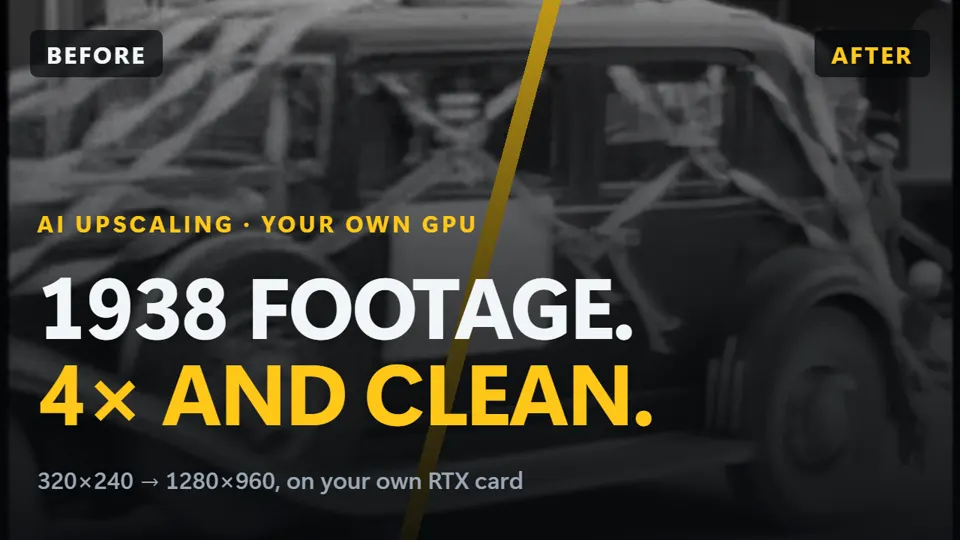
Before / After
Before
Soft, pixelated footage with blocky compression and muddy detail — unwatchable on a big screen.
After
Crisp, clean video with reconstructed edges and textures, ready for HD or 4K displays.
How to upscale video to 4K with AI on your own GPU
- Jump to
Windows · free trial · pay once, no subscription
AI upscaling needs an NVIDIA RTX 20-series or newer graphics card. Denoise, stabilisation and frame interpolation also run on AMD and Intel.
Whatever made it look bad, AI rebuilds it
240p, 360p, 480p and 720p sources upscaled with real detail instead of a blurry stretch.
Heavily compressed clips from old phones, messaging apps and downloads cleaned and sharpened.
Footage that lost quality after repeated re-uploads gets its edges and faces reconstructed.
How It Works
Drop in your clips
Add one file or a whole folder of low-quality videos.
Pick 2x, 3x or 4x
Choose how far to upscale and preview the result before you commit.
Batch and save
Let your NVIDIA RTX GPU process the queue locally and export in HD or 4K.
Why AI Video Enhancer for low-quality video
NVIDIA RTX VSR reconstructs edges, textures and faces — far beyond a basic sharpen filter that only exaggerates the existing blur.
Upscaling runs on your own RTX card, with no per-minute fees, unlike browser-based upscalers.
Fix dozens or hundreds of low-quality clips in one run instead of one-at-a-time on a website.
One Price. No Subscription.
Frequently asked questions
Can AI really make a low-quality video look good?
Within limits, yes. NVIDIA RTX VSR was trained on real-world video, so it reconstructs plausible detail in soft, compressed and low-resolution footage rather than just enlarging pixels. It cannot invent information that was never recorded, but the difference on old phone clips, downloaded videos and SD sources is dramatic — try it free on your own footage first.
What resolutions can I upscale from and to?
Upscale 2x, 3x or 4x — for example 480p to 1080p, 720p to 1440p/4K, or 1080p to 4K. There is also a same-resolution Enhance mode that cleans and sharpens without changing the size. Maximum output depends on your GPU's memory.
Do I need a powerful PC?
You need an NVIDIA RTX GPU (20-series or newer) for the AI upscaler. The app automatically tunes batch and tile size to your card's memory — from modest laptop GPUs to high-end workstation cards — so it runs as fast and stable as your hardware allows without manual tweaking.
Is it really a one-time price?
Yes — $129 once, no subscription. That includes batch upscaling, 4K output and every enhancement filter. You can try it free before buying.
Related upscaling guides
The full upscaler: 2x/3x/4x to 4K with NVIDIA RTX VSR.
VHS, Hi8 and MiniDV restored and upscaled to HD.
The same quality, one-time price, no subscription.
AI upscaling needs an NVIDIA RTX GPU (20-series or newer). On other GPUs, denoise, sharpen, stabilize and deinterlace still work. $129 one-time, free trial, no subscription.
Published by ContentaSoft, Umea, Sweden — developer of AI Video Enhancer Studio.
AI Video Enhancer Studio is a desktop application for Windows that upscales video with NVIDIA RTX Video Super Resolution, interpolates frames with RIFE, and denoises, stabilizes and deinterlaces with FFmpeg filters. Encoding is GPU-accelerated.
This software contains no adware, spyware, toolbars, or bundled third-party programs. The installer installs only AI Video Enhancer Studio.
Videos are processed on your own PC, on its processor and graphics card. The software sends anonymous install, crash and usage statistics and license checks, as described in the Privacy Policy.
Free trial: your first 5 files within 30 days at full resolution without a watermark. After that, output is watermarked and capped at 720p until you enter a license key. Lifetime license: $129 (one-time payment, no subscription).
How to UninstallOpen Windows Settings > Apps > Installed apps, find "AI Video Enhancer Studio" in the list, and click Uninstall. You can also run the uninstaller from the installation folder or use Control Panel > Programs and Features.
Download size: ~2 MB (web installer). Additional components including AI models are downloaded during installation.