L'amélioration AI qui s'intègre à votre workflow de montage
Upscaling, débruitage, stabilisation et interpolation par lots — puis glissez les résultats dans votre timeline.
Logiciel de bureau avec accélération GPU. ProRes, DNxHR, H.265 et plus de 20 formats. $129 en une fois.
Télécharger la version d'essai gratuiteEssai gratuit : vos 5 premiers fichiers sur 30 jours en pleine résolution, sans filigrane. Ensuite, filigrane et limite à 720p jusqu'à l'achat. Pas de carte de crédit requise.
Par l'éditeur de Contenta Converter, utilisé par plus de 100 000 personnes. · ✓ Garantie de remboursement de 30 jours · ✓ $129 achat unique. Pas d'abonnement. Mises à jour gratuites.
Résultat réel : de 720p à 3840×2160 avec RTX Video Super Resolution
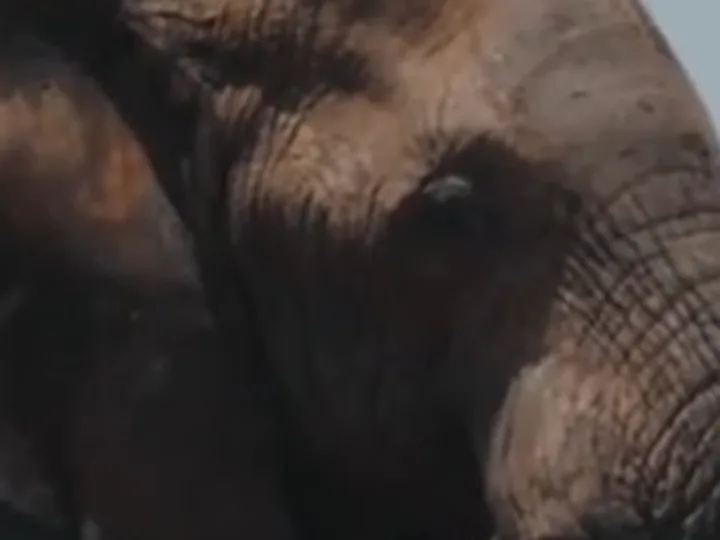 Avant
Avant
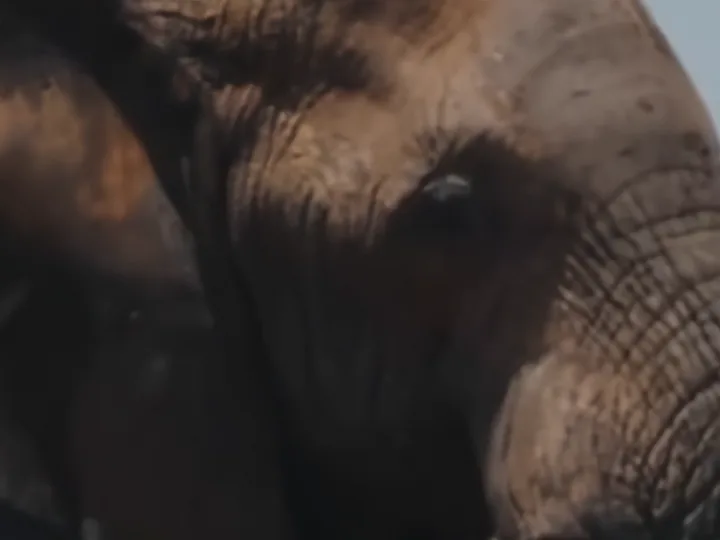 Après
Après
Source : une copie H.264 1280×720 de 6 secondes d'un clip animalier sous licence. Agrandissement 3× avec NVIDIA RTX Video Super Resolution, enregistré en H.265. Le débruitage était désactivé car la source était propre. Les deux images montrent la même image et la même zone. La source est agrandie en bicubique, comme le ferait un lecteur. Sortie d'AI Video Enhancer Studio.
Fonctionnalités clés
Traitez des dossiers entiers de clips. Configurez et laissez tourner — AI Video Enhancer traite votre file d'attente pendant que vous montez.
Entrée et sortie ProRes, DNxHR, H.265, H.264, AV1, VP9 et plus de 20 codecs. Aucune surprise de transcodage.
NVIDIA CUDA/NVENC, AMD AMF, Intel QSV. L'encodage matériel garantit un traitement rapide.
Comment ça marche
Ajoutez vos vidéos
Glissez-déposez des fichiers ou des dossiers entiers.
Choisissez un preset ou personnalisez
Sélectionnez un preset intégré ou ajustez chaque paramètre AI individuellement.
Améliorez
Cliquez sur Démarrer. Chaque vidéo est enregistrée dans un nouveau fichier.
Un seul prix. Pas d'abonnement.
Essai gratuit : vos 5 premiers fichiers sur 30 jours en pleine résolution, sans filigrane. Ensuite, filigrane et limite à 720p jusqu'à l'achat. Pas de carte de crédit requise.
Publié par ContentaSoft, Umea, Suède — développeur de AI Video Enhancer Studio.
AI Video Enhancer Studio est une application de bureau pour Windows qui agrandit les vidéos avec NVIDIA RTX Video Super Resolution, interpole les images avec RIFE, et débruite, stabilise et désentrelace avec des filtres FFmpeg. L'encodage est accéléré par GPU.
Ce logiciel ne contient aucun adware, spyware, barre d'outils ou programme tiers intégré. L'installateur installe uniquement AI Video Enhancer Studio.
Les vidéos sont traitées sur votre propre PC, par son processeur et sa carte graphique. Le logiciel envoie des statistiques anonymes d'installation, de plantage et d'utilisation ainsi que des vérifications de licence, comme décrit dans la Politique de confidentialité.
Essai gratuit : vos 5 premiers fichiers sur 30 jours en pleine résolution, sans filigrane. Ensuite, la sortie porte un filigrane et est limitée à 720p jusqu'à la saisie d'une clé de licence. Licence à vie : 129 $ (paiement unique, sans abonnement).
Comment désinstaller
Ouvrez Windows Settings > Apps > Installed apps, trouvez "AI Video Enhancer Studio" dans la liste et cliquez sur Désinstaller. Vous pouvez également exécuter le désinstalleur depuis le dossier d'installation ou utiliser Control Panel > Programs and Features.
Taille du téléchargement : ~2 Mo (installateur web). Des composants supplémentaires incluant les modèles AI sont téléchargés pendant l'installation.