Restore Old Wedding Videos with AI
VHS, MiniDV, and Hi8 tapes restored to HD quality
Your wedding video is irreplaceable. Denoising, yadif deinterlacing and NVIDIA RTX VSR upscaling bring old tapes back to life.
Download Free TrialFrom the makers of Contenta Converter, used by 100,000+ people. · ✓ 30-day money-back guarantee · ✓ $129 one-time purchase. No subscription. Free updates.
Restore old home movies with AI: film, VHS and camcorder
- Jump to
Windows · free trial · pay once, no subscription
AI upscaling needs an NVIDIA RTX 20-series or newer graphics card. Denoise, stabilisation and frame interpolation also run on AMD and Intel.
Wedding Video Restoration
Yadif and BWDIF field interpolation eliminates combing artifacts from interlaced tape.
Temporal denoising removes VHS grain while preserving faces and details.
NVIDIA RTX VSR 2x/4x upscaling adds genuine detail, not just sharpening.
How It Works
Add Your Videos
Load your digitized VHS, MiniDV, or Hi8 video files.
Pick a Preset or Customize
Select the Old Video Restoration preset: denoise, stabilization and a 2× upscale, plus Yadif deinterlacing when the tape capture is interlaced.
Enhance
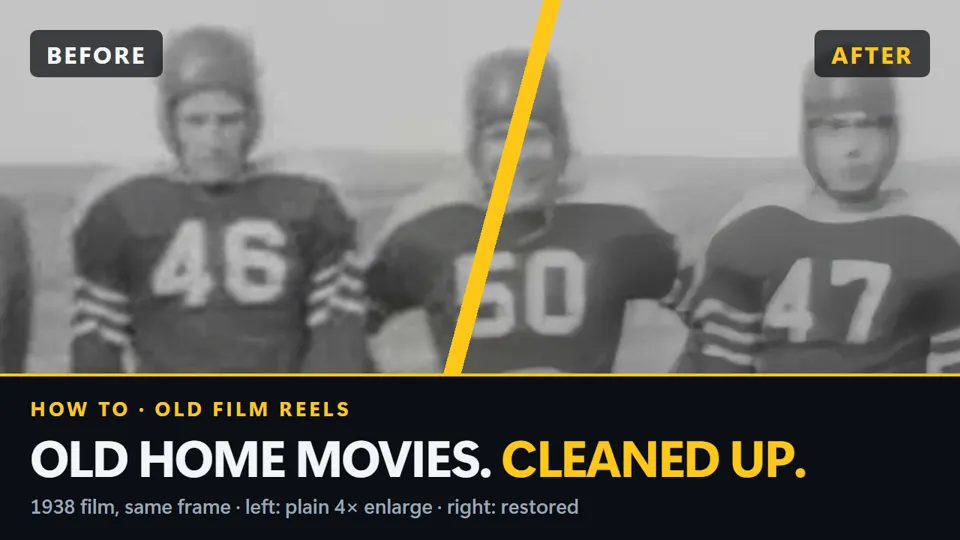
AI processing restores your video. Preview before/after.
$129 to Preserve Your Memories Forever
One-time purchase. Restore unlimited videos. No subscription.
Published by ContentaSoft, Umea, Sweden — developer of AI Video Enhancer Studio.
AI Video Enhancer Studio is a desktop application for Windows that upscales video with NVIDIA RTX Video Super Resolution, interpolates frames with RIFE, and denoises, stabilizes and deinterlaces with FFmpeg filters. Encoding is GPU-accelerated.
This software contains no adware, spyware, toolbars, or bundled third-party programs. The installer installs only AI Video Enhancer Studio.
Videos are processed on your own PC, on its processor and graphics card. The software sends anonymous install, crash and usage statistics and license checks, as described in the Privacy Policy.
Free trial with no time limit: Export clip saves 10-second clips of your own footage at full quality with no watermark, up to 30 seconds of each video a day, and your first 5 full videos are clean too. After that, full exports carry a watermark and are capped at 720p until you buy. Lifetime license: $129 (one-time payment, no subscription).
How to UninstallOpen Windows Settings > Apps > Installed apps, find "AI Video Enhancer Studio" in the list, and click Uninstall. You can also run the uninstaller from the installation folder or use Control Panel > Programs and Features.
Download size: ~2 MB (web installer). Additional components including AI models are downloaded during installation.