Batch export guide
Batch export STEP from Inventor (and Fusion 360)
Save Copy As in Inventor writes one STEP file at a time. For a folder of parts there are two built-in routes: Task Scheduler and iLogic. Once the STEP files exist, one batch run turns all of them into STL or glTF, and needs no Inventor seat.
Four ways to get the STEP files out
| Route | Best for | Setup | Runs unattended |
|---|---|---|---|
| Inventor Task Scheduler | A folder or project, again and again | None: installed with Inventor | Yes, on a schedule |
| iLogic rule (example below) | Your own naming and folders | 7 lines, once | While Inventor runs |
| Save Copy As, STEP | Under ten files | None | No |
| Fusion 360 API script (example below) | Designs in Fusion | A short Python script | Once you start it from Scripts and Add-Ins |
Before any batch run, set the Inventor project (.ipj) the parts use. Files with missing references stop the run.
iLogic example: every part in a folder to STEP
' iLogic: every .ipt in the folder -> .stp next to it
Dim folder As String = "C:\Work\Parts"
For Each f As String In System.IO.Directory.GetFiles(folder, "*.ipt")
    Dim doc As Document = ThisApplication.Documents.Open(f, False)
    doc.SaveAs(System.IO.Path.ChangeExtension(f, ".stp"), True)
    doc.Close(True)
Next
An example to adapt, not a tested recipe: try it on a copy of the folder first. SaveAs with True saves a STEP copy with the translator's default options. Change *.ipt to *.iam for assemblies.
# Fusion 360 script: export the open design as STEP
import adsk.core, adsk.fusion
app = adsk.core.Application.get()
design = adsk.fusion.Design.cast(app.activeProduct)
opts = design.exportManager.createSTEPExportOptions(r'C:\Work\Export\part.step')
design.exportManager.execute(opts)
An example to adapt, not a tested recipe. It exports the open design only; to cover a project, extend it to open each design in turn.
Common failures
The run stops on a dialog
Missing references open the Resolve Link dialog. Set the right project (.ipj) before you start.
Colors missing in the STEP
AP203 carries no colors. Pick AP214 or AP242 in the STEP options.
One file for the whole assembly
An .iam exports as one STEP with all its parts. Export the .ipt files too if the shop wants single parts.
Slow on hundreds of files
Open files invisibly (the False in the rule) and close each one after export.
Then convert the whole folder in one run
- Point at the STEP folderSubfolders included; .stp and .step both work.
- Pick STL, glTF or OBJGLB for the web, STL for printing, OBJ for rendering.
- ConvertSame settings for every file; export a CSV or HTML report at the end.
> cadconvert batch -i .\step -o .\stl -f stl
5 3D files found
5 succeeded, 0 failed, 0 skipped in 00:14
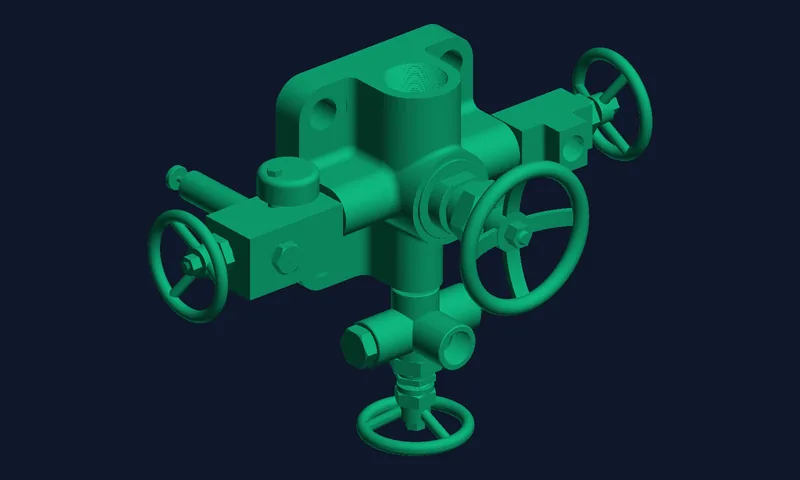
Measured with the cadconvert CLI on a Ryzen 9 3900X, Standard preset. The files are STEP exports from a valve project.
3D CAD Converter does not read .ipt or .iam files. Given one, it stops with .ipt files can't be opened. Export STEP from Inventor first, with one of the routes above.
Convert your exported STEP folderFree trial: 10 conversions, no credit card. Windows 10/11, 64-bit.
Download Free TrialInventor STEP export: questions
Can I export STEP from Inventor without opening each file by hand?
Yes. Inventor's Task Scheduler or an iLogic loop opens and exports them for you. Inventor must be installed.
Does Fusion 360 have a batch STEP export?
Not as a button. Its API exports the open design as STEP, so a script opens each design in turn.
Do I need an Inventor license to convert the STEP files?
No. Once the STEP files exist, converting them to STL, OBJ or glTF needs no Inventor seat.
Which STEP protocol should I export?
AP214 keeps colors and nearly every tool reads it. Choose AP242 when the receiver needs PMI such as tolerances.
Related: Batch export from SolidWorks · Inventor exports and formats · CLI batch automation · What a STEP file is