CAD File Format Encyclopedia
Your complete guide to 15 3D CAD and mesh file formats — what they store, where they are used, and how to convert between them.
Download Free TrialFree 30-day trial. No credit card required. Windows 10/11.
See it in action
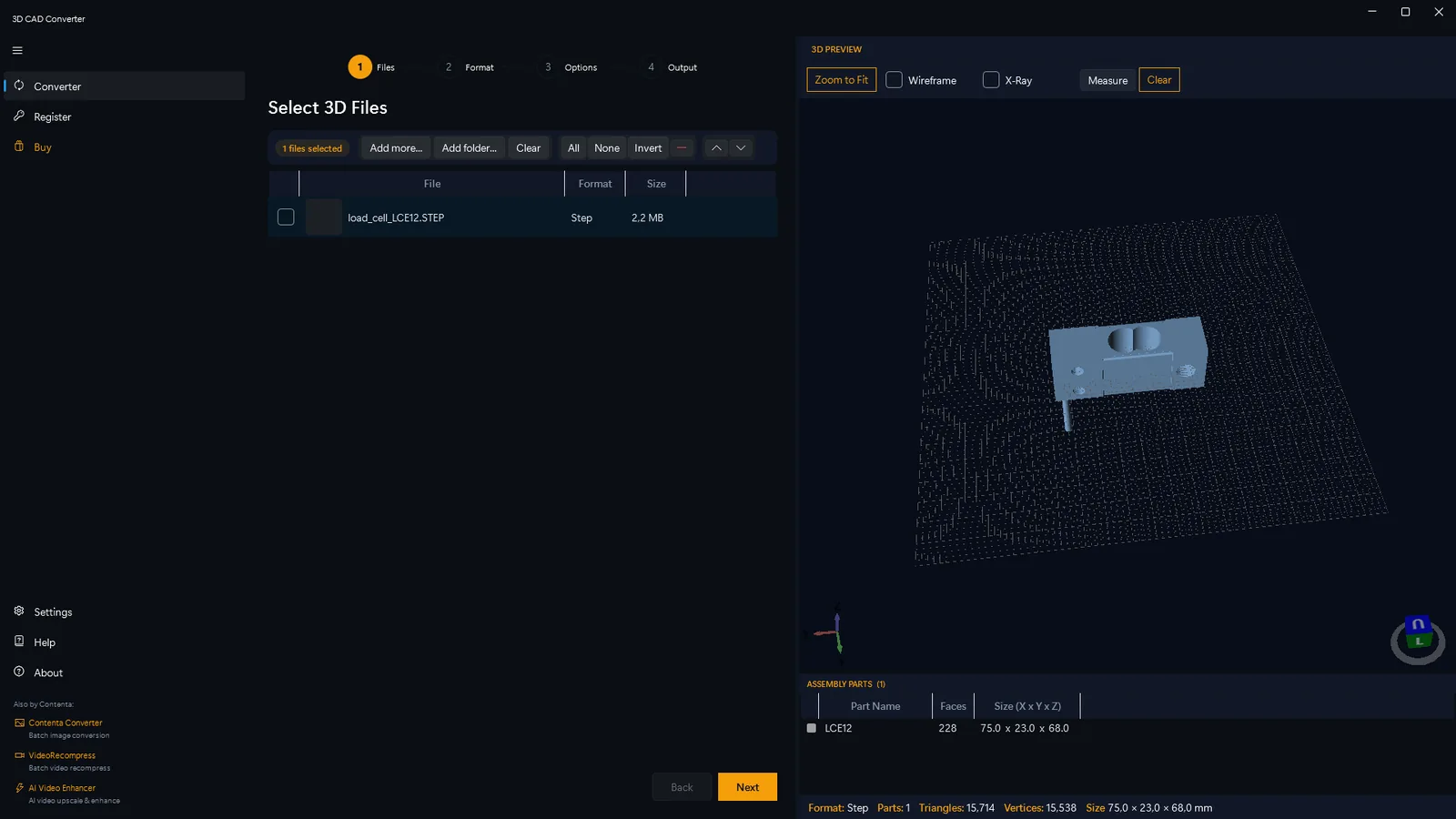
From loading a STEP assembly to a finished batch — the same wizard handles every format on this page.


Browse All 15 Formats
Industry standard for precise 3D solid model exchange between CAD systems.
IGES .igs .iges NURBS surfacesLegacy NURBS surface format widely supported by aerospace and older CAD systems.
STL .stl Mesh — 3D printingThe universal 3D printing format — simple triangle meshes readable by every slicer on the market.
OBJ .obj Mesh + UVVersatile mesh format with UV texture coordinates — the go-to for rendering and visualization.
3MF .3mf Mesh + color + metadataModern 3D printing format with color, material, and multi-part support — better than STL in every way.
glTF / GLB .gltf .glb Mesh + PBR — web/ARThe web standard for 3D — PBR materials, compact size, and native AR/VR support.
FBX .fbx Mesh + animationThe game and VFX industry standard for animated assets — mesh, skeleton, and animation in one file.
VRML .wrl Mesh + color — web 3DEarly web 3D standard — color meshes and scene hierarchy for virtual worlds and industrial viewers.
DXF .dxf 2D/3D — CAD/CNCAutodesk's universal CAD exchange format for 2D drawings, laser cutting, and lightweight 3D geometry.
PLY .ply Mesh + attributesStanford polygon format with per-vertex attributes — ideal for point clouds and 3D scan data.
BREP .brep .brp Solid / NURBS — OCCOpenCASCADE's native exact-geometry format — the foundation for FreeCAD and OCC-based CAD tools.
Collada DAE .dae XML scene formatXML-based scene format with animations and materials — used in game pipelines and robotic simulation.
AMF .amf Mesh + color + materialISO-standard XML format for 3D printing with color, curved triangles, and multi-material support.
X3D .x3d XML — interactive web 3DXML successor to VRML — interactive web 3D with animations and scripted behaviors.
OFF .off Mesh — researchMinimal ASCII mesh format for computational geometry research and mesh processing tools.
DWG .dwg 2D/3D — AutoCAD nativeAutoCAD native format. 2D drawings and 3D models used in architecture, engineering, and construction.
USD / USDZ .usd .usdz Scene — Apple AR / PixarPixar's scene format. USDZ powers Apple AR Quick Look, Vision Pro, and professional VFX pipelines.
Convert From Vendor-Locked CAD Formats
Open and convert CATIA V5/V6 exports (STEP, IGES) to STL, OBJ and glTF without a CATIA license.
SolidWorks .sldprt .sldasm Via STEP / IGES exportConvert SolidWorks STEP/IGES exports to STL, OBJ and glTF in batch, no SolidWorks license needed.
Inventor .ipt .iam Via STEP / IGES exportConvert Autodesk Inventor STEP/IGES exports to STL, OBJ and glTF in batch, no Inventor license needed.
Import vs. export: all formats below can be opened and read as input. The formats you can convert to (export targets) are STEP, IGES, BREP, STL, OBJ, PLY, VRML, 3MF, glTF, GLB, DAE, and OFF. FBX, AMF, X3D, DXF, DWG, and USD/USDZ are import-only — they cannot be selected as an output format.
Format Comparison
| Format | Type | Open | Exact geometry | Color | Animation | Best for |
|---|---|---|---|---|---|---|
| STEP | Solid / NURBS | ✓ | ✓ | AP214+ | ✗ | Engineering exchange, archival |
| IGES | NURBS surfaces | ✓ | ✓ | Limited | ✗ | Legacy CAD, aerospace |
| STL | Triangle mesh | ✓ | ✗ | ✗ | ✗ | 3D printing, CNC |
| OBJ | Polygon mesh | ✓ | ✗ | Via MTL | ✗ | Rendering, visualization |
| 3MF | Triangle mesh | ✓ | ✗ | ✓ | ✗ | Color 3D printing, additive mfg |
| glTF / GLB | Triangle mesh | ✓ | ✗ | PBR | ✓ | Web 3D, AR/VR, e-commerce |
| FBX | Polygon mesh | ✗ | ✗ | ✓ | ✓ | Game engines, VFX, animation |
| VRML | Polygon mesh | ✓ | ✗ | ✓ | ✓ | Industrial review, color sharing |
| DXF | 2D/3D mixed | ✓ | Partial | ✓ | ✗ | CAD drawings, laser cutting |
| PLY | Polygon mesh | ✓ | ✗ | ✓ | ✗ | 3D scanning, point clouds |
| BREP | Solid / NURBS | ✓ | ✓ | ✗ | ✗ | FreeCAD, OCCT tools |
| DAE | XML scene | ✓ | ✗ | ✓ | ✓ | ROS/Gazebo, SketchUp |
| AMF | XML mesh | ✓ | ✗ | ✓ | ✗ | Multi-material 3D printing |
| X3D | XML scene | ✓ | ✗ | ✓ | ✓ | Web documentation, e-learning |
| OFF | Polygon mesh | ✓ | ✗ | COFF variant | ✗ | Research, geometry processing |
| DWG | 2D/3D mixed | ✗ | ✓ | ✓ | ✗ | AutoCAD drawings, AEC |
| USD / USDZ | Scene graph | ✓ | ✗ | PBR | ✓ | Apple AR, VFX, e-commerce |
Need to Convert Between These Formats?
3D CAD Converter imports all of these formats. Drop a folder, pick an output format, click Convert. Note: FBX, AMF, X3D, DXF, DWG, and USD/USDZ are import-only — you can convert from them, but the export targets are STEP, IGES, BREP, STL, OBJ, PLY, VRML, 3MF, glTF, GLB, DAE, and OFF.
Download Free TrialFree 30-day trial. No credit card required. Windows 10/11.