Download VideoRecompress Studio
Komprimer videoer uden synligt kvalitetstab. I vores test med 11 klip bragte H.265 på et NVIDIA-grafikkort 254,9 MB ned på 128,4 MB, og ingen fil blev større.
30 dage gratis Ingen konto påkrævet Windows 10/11 Mistet din nøgle?

Understøttede Codecs & Encoder
Smart Videokompression
Reducer filstørrelser dramatisk, mens den visuelle kvalitet bevares. GPU-accelereret kodning med moderne codecs.
Moderne Codec Support
Komprimer med H.264, H.265/HEVC, AV1 og VP9. Automatisk codecvalg eller fuld manuel kontrol over CRF og bitrate.
GPU Acceleration
10x hurtigere kodning med NVIDIA NVENC, Intel QSV og AMD AMF. Automatisk tilbagefald til CPU, hvis der ikke findes en kompatibel GPU.
Smart Præindstillinger
7 indbyggede præindstillinger til almindelige arbejdsgange: telefonarkiv, YouTube-upload, bryllupsvideo, overvågning, maksimal besparelse og mere.
Batch Behandling
Komprimer hele mapper med parallelle arbejdere. Rekursiv scanning, overvågningsmapper og automatisk outputorganisation.
Kvalitetsverifikation
Integritetskontrol efter kodning sikrer, at hver komprimeret fil afspilles korrekt. SSIM og VMAF kvalitetsvurderinger tilgængelige.
CLI & Automation
Fuld kommandolinjegrænseflade til scripting og automatisering. Planlæg kompressionsopgaver eller integrer i eksisterende arbejdsgange.
Sådan virker det
Tilføj Videoer
Træk videofiler eller scan hele mapper. Understøtter MP4, MKV, AVI, MOV, WebM og 20+ formater.
Vælg en forudindstilling
Vælg en smart forudindstilling eller konfigurer codec, kvalitet og indstillingsindstillinger manuelt.
Compress
Tryk på Start. GPU-accelereret kodning komprimerer dine videoer lokalt. Se estimeret pladsbesparelse i realtid.
Hvem bruger dette

Hjemmevideoarkiv
Komprimer familievideoer for at spare diskplads
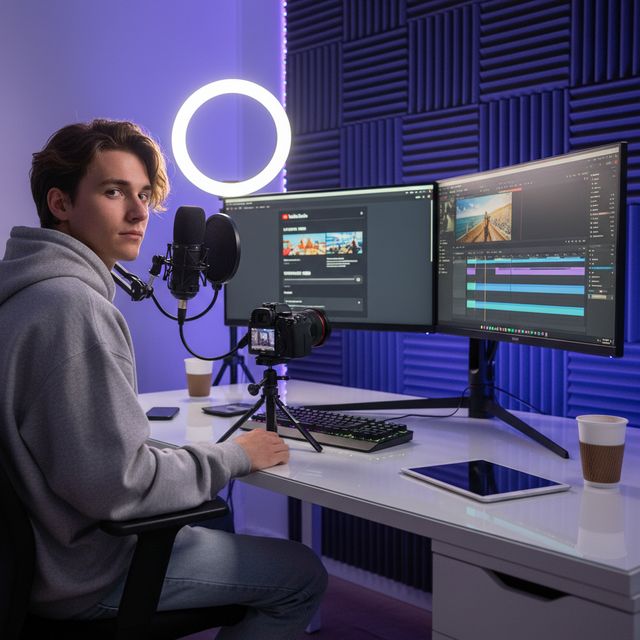
Indholdsskabere
Optimer uploads til YouTube og sociale medier

Bryllupsfotografer
Komprimer timer af ceremonifilm

IT & Lagring
Genvind NAS- og serverlagerplads
30 dage gratis Ingen konto påkrævet Windows 10/11
Ofte stillede spørgsmål
Nej. VideoRecompress Studio bruger perceptuelle kvalitetsindstillinger (CRF), der bevarer den visuelle kvalitet, mens filstørrelsen reduceres. De fleste brugere kan ikke se nogen forskel mellem den originale og den komprimerede version.
H.264, H.265/HEVC, AV1, and VP9. Hardware-accelerated encoding via NVIDIA NVENC, Intel QSV, and AMD AMF for dramatically faster processing.
Det afhænger af dine optagelser. I vores test med 11 klip (mobil, GoPro, drone, timelapse, forelæsning, bryllup, DV og webvideo) bragte H.265 254,9 MB ned på 128,4 MB (−50 %) på et NVIDIA-grafikkort og på 138,1 MB (−46 %) på processoren. De enkelte klip sparede alt fra ingenting til 96 %: en fil, der allerede er effektiv, beholdes som den er, og et gammelt DV-bånd skrumpede mest. Ingen fil blev større. Appen viser den anslåede besparelse, før du starter.
Ja. VideoRecompress Studio håndterer filer af enhver størrelse. Behandl hele mapper i batch med parallelle arbejdere for maksimal gennemstrømning.
Ja. Den gratis prøveperiode varer 30 dage og lader dig komprimere op til 10 filer. Ingen konto eller kreditkort kræves.
© 2026 ContentaSoft AB. Alle rettigheder forbeholdes.
Den gratis prøveperiode er fuldt funktionel i 30 dage med en grænse på 10 filer. Køb en licens for ubegrænset brug.
Systemkrav
- Windows 10/11 (64-bit)
- Dual-core processor (quad-core anbefales)
- Minimum 4 GB RAM (8 GB anbefales)
- 200 MB ledig diskplads til installation
- NVIDIA, Intel eller AMD GPU anbefales til hardwareacceleration
Blokerer antivirus eller firewall din download? Hent det fulde offline-installationsprogram
Udgivet af ContentaSoft, Umea, Sverige — udvikler af VideoRecompress Studio.
VideoRecompress Studio er en desktopapplikation til Windows, der batchkomprimerer og genkoder videoer med moderne codecs (H.265, AV1, VP9) og hardwareacceleration.
Denne software indeholder ingen adware, spyware, værktøjslinjer eller medfølgende tredjepartsprogrammer. Installationsprogrammet installerer udelukkende VideoRecompress Studio og FFmpeg (open-source videomotor).
Alle videoer behandles lokalt på din computer. Ingen filer uploades til nogen server. Softwaren indsamler ingen personlige data.
Gratis 30-dages prøveperiode med 10 filer inkluderet. Efter prøveperioden kræves en licensnøgle. Livstidslicens: $79 (engangsbetaling, intet abonnement).
Sådan afinstallerer du
Åbn Windows Settings > Apps > Installerede apps, find "VideoRecompress Studio" på listen og klik på Afinstaller. Du kan også køre afinstallationsprogrammet fra installationsmappen eller bruge Control Panel > Programs and Features.
Downloadstørrelse: ~2 MB (webinstallationsprogram). Yderligere komponenter inklusive FFmpeg downloades under installationen.
Mere fra ContentaSoft
Contenta Converter PREMIUM
Konverter, skalér, omdøb og forbedr tusindvis af fotos. AI-baggrundsfjernelse, effekter og opskalering. Engangskøb.
AI Video Enhancer Studio
AI-drevet videoopskalering, støjfjernelse, billedinterpolation og stabilisering. Batchbehandling med GPU-acceleration.
3D CAD Converter
Konverter CAD-filer mellem STEP, IGES, STL, OBJ, glTF, 3MF og mere. Engangskøb, intet abonnement.