Download VideoRecompress Studio
اضغط الفيديوهات بلا فقدان مرئي للجودة. في اختبارنا على 11 مقطعًا، خفّض H.265 على بطاقة NVIDIA الرسومية 254.9 MB إلى 128.4 MB، ولم يكبر أي ملف.
30 يوم مجاناً لا حاجة لحساب Windows 10/11 فقدت مفتاحك؟

Supported Codecs & Encoders
Smart Video Compression
Reduce file sizes dramatically while preserving visual quality. GPU-accelerated encoding with modern codecs.
Modern Codec Support
Compress with H.264, H.265/HEVC, AV1, and VP9. Automatic codec selection or full manual control over CRF and bitrate.
GPU Acceleration
10x faster encoding with NVIDIA NVENC, Intel QSV, and AMD AMF. Automatic fallback to CPU if no compatible GPU detected.
Smart Presets
7 built-in presets for common workflows: phone archive, YouTube upload, wedding video, surveillance, max savings, and more.
Batch Processing
Compress entire folders with parallel workers. Recursive scanning, watch folders, and automatic output organization.
Quality Verification
Post-encode integrity check ensures every compressed file plays correctly. SSIM and VMAF quality scores available.
CLI & Automation
Full command-line interface for scripting and automation. Schedule compression jobs or integrate into existing workflows.
كيف يعمل
Add Videos
Drop video files or scan entire folders. Supports MP4, MKV, AVI, MOV, WebM, and 20+ formats.
Choose a Preset
Pick a smart preset or configure codec, quality, and encoding settings manually.
Compress
Hit Start. GPU-accelerated encoding compresses your videos locally. See estimated space savings in real time.
من يستخدم هذا

Home Video Archive
Compress family videos to save disk space
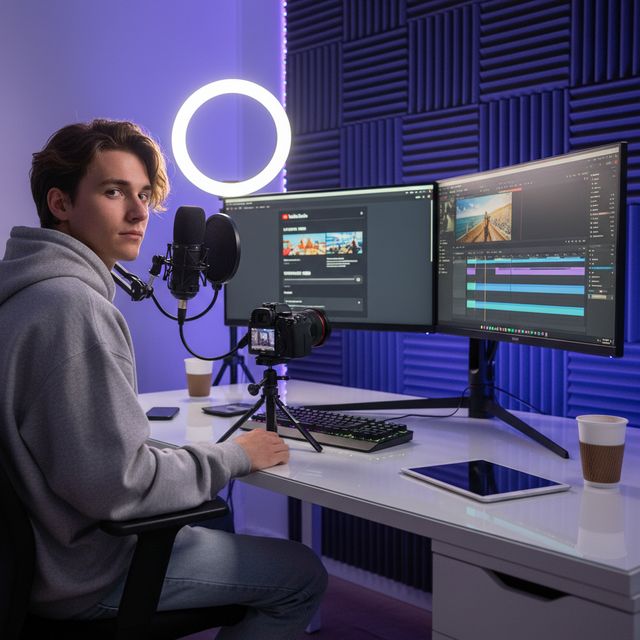
Content Creators
Optimize uploads for YouTube & social media
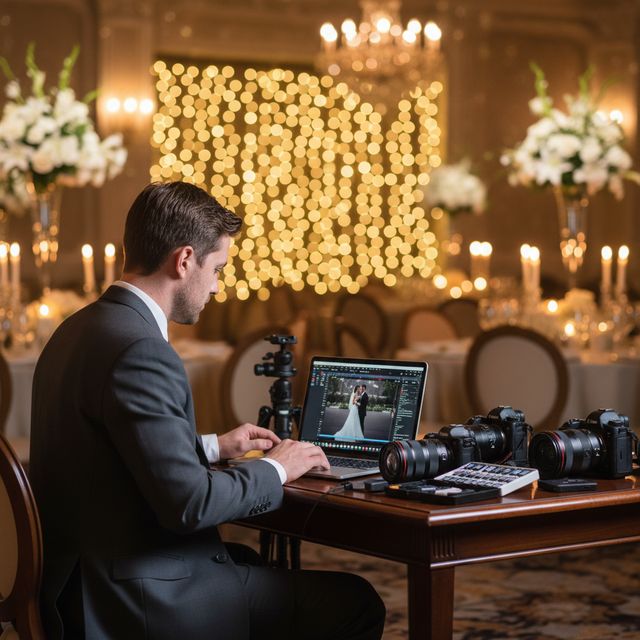
Wedding Videographers
Compress hours of ceremony footage

IT & Storage
Reclaim NAS and server storage space
30 يوم مجاناً لا حاجة لحساب Windows 10/11
الأسئلة الشائعة
No. VideoRecompress Studio uses perceptual quality settings (CRF) that preserve visual quality while reducing file size. Most users cannot see any difference between the original and compressed version.
H.264, H.265/HEVC, AV1, and VP9. Hardware-accelerated encoding via NVIDIA NVENC, Intel QSV, and AMD AMF for dramatically faster processing.
يعتمد ذلك على موادك. في اختبارنا على 11 مقطعًا (هاتف، GoPro، طائرة مسيّرة، تصوير فاصل زمني، محاضرة، زفاف، DV وفيديو ويب)، خفّض H.265 الحجم من 254.9 MB إلى 128.4 MB (−50 %) على بطاقة NVIDIA الرسومية وإلى 138.1 MB (−46 %) على المعالج. تراوح توفير كل مقطع بين لا شيء و96 %: الملف الفعّال أصلًا يبقى كما هو، وشريط DV قديم كان الأكثر انكماشًا. لم يكبر أي ملف. يعرض التطبيق التوفير المتوقع قبل أن تبدأ.
Yes. VideoRecompress Studio handles files of any size. Batch-process entire folders with parallel workers for maximum throughput.
Yes. The free trial lasts 30 days and lets you compress up to 10 files. No account or credit card required.
© 2026 ContentaSoft AB. جميع الحقوق محفوظة.
The free trial is fully functional for 30 days with a limit of 10 files. Purchase a license for unlimited use.
متطلبات النظام
- Windows 10/11 (64-bit)
- Dual-core processor (quad-core recommended)
- 4 GB RAM minimum (8 GB recommended)
- 200 MB free disk space for installation
- NVIDIA, Intel, or AMD GPU recommended for hardware acceleration
هل يحظر برنامج مكافحة الفيروسات أو جدار الحماية التنزيل؟ احصل على المثبّت الكامل دون اتصال
نشر بواسطة ContentaSoft، أوميو، السويد — مطوّر VideoRecompress Studio.
VideoRecompress Studio هو تطبيق سطح مكتب لنظام Windows يقوم بضغط وإعادة ترميز مقاطع الفيديو دفعة واحدة باستخدام برامج ترميز حديثة (H.265، AV1، VP9) مع تسريع الأجهزة.
لا يحتوي هذا البرنامج على أي برامج إعلانية أو تجسس أو أشرطة أدوات أو برامج طرف ثالث مرفقة. يقوم المثبّت بتثبيت VideoRecompress Studio و FFmpeg (محرك فيديو مفتوح المصدر) فقط.
تتم معالجة جميع مقاطع الفيديو محليًا على جهاز الكمبيوتر الخاص بك. لا يتم رفع أي ملفات إلى أي خادم. لا يجمع البرنامج أي بيانات شخصية.
نسخة تجريبية مجانية لمدة 30 يومًا تشمل 10 ملفات. بعد الفترة التجريبية، يلزم مفتاح ترخيص. ترخيص مدى الحياة: $79 (دفعة واحدة، بدون اشتراك).
كيفية إلغاء التثبيت
افتح Windows Settings > Apps > التطبيقات المثبتة، ابحث عن "VideoRecompress Studio" في القائمة وانقر على إلغاء التثبيت. يمكنك أيضًا تشغيل برنامج إلغاء التثبيت من مجلد التثبيت أو استخدام Control Panel > Programs and Features.
حجم التنزيل: حوالي 2 ميجابايت (مثبّت ويب). يتم تنزيل المكونات الإضافية بما في ذلك FFmpeg أثناء التثبيت.
أيضًا من ContentaSoft
Contenta Converter PREMIUM
حوّل آلاف الصور وغيّر حجمها وأعد تسميتها وحسّنها دفعة واحدة. إزالة الخلفية بالذكاء الاصطناعي وتأثيرات ورفع الدقة. شراء لمرة واحدة.
AI Video Enhancer Studio
رفع دقة الفيديو وإزالة الضوضاء واستيفاء الإطارات والتثبيت بالذكاء الاصطناعي. معالجة دفعية مع تسريع GPU.
3D CAD Converter
حوّل ملفات CAD دفعة واحدة بين STEP وIGES وSTL وOBJ وglTF و3MF والمزيد. شراء لمرة واحدة، بدون اشتراك.