Download VideoRecompress Studio
Compress videos without visible quality loss. On our 11-clip test set, H.265 on an NVIDIA GPU cut 254.9 MB to 128.4 MB, and no file came out bigger.
30-day free trial No account needed Windows 10/11 Lost your key?

Supported Codecs & Encoders
Smart Video Compression
Reduce file sizes dramatically while preserving visual quality. GPU-accelerated encoding with modern codecs.
Modern Codec Support
Compress with H.264, H.265/HEVC, AV1, and VP9. Automatic codec selection or full manual control over CRF and bitrate.
GPU Acceleration
10x faster encoding with NVIDIA NVENC, Intel QSV, and AMD AMF. Automatic fallback to CPU if no compatible GPU detected.
Smart Presets
7 built-in presets for common workflows: phone archive, YouTube upload, wedding video, surveillance, max savings, and more.
Batch Processing
Compress entire folders with parallel workers. Recursive scanning, watch folders, and automatic output organization.
Quality Verification
Post-encode integrity check ensures every compressed file plays correctly. SSIM and VMAF quality scores available.
CLI & Automation
Full command-line interface for scripting and automation. Schedule compression jobs or integrate into existing workflows.
How It Works
Add Videos
Drop video files or scan entire folders. Supports MP4, MKV, AVI, MOV, WebM, and 20+ formats.
Choose a Preset
Pick a smart preset or configure codec, quality, and encoding settings manually.
Compress
Hit Start. GPU-accelerated encoding compresses your videos locally. See estimated space savings in real time.
Who Uses This

Home Video Archive
Compress family videos to save disk space
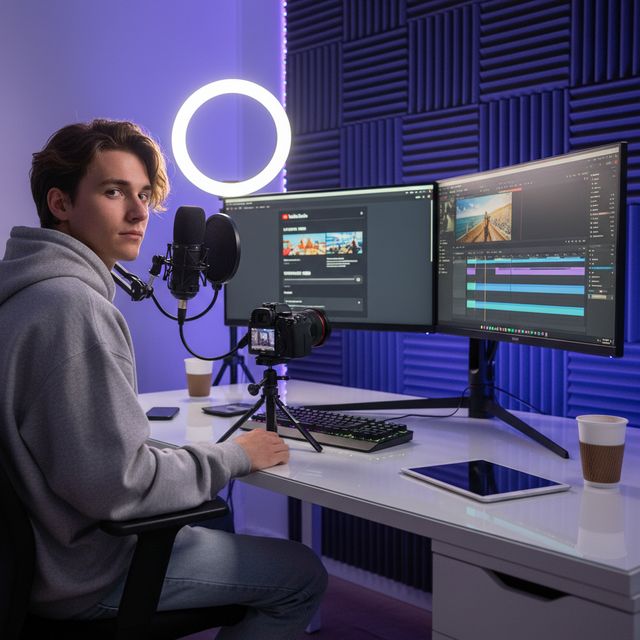
Content Creators
Optimize uploads for YouTube & social media

Wedding Videographers
Compress hours of ceremony footage

IT & Storage
Reclaim NAS and server storage space
30-day free trial No account needed Windows 10/11
Frequently Asked Questions
No. VideoRecompress Studio uses perceptual quality settings (CRF) that preserve visual quality while reducing file size. Most users cannot see any difference between the original and compressed version.
H.264, H.265/HEVC, AV1, and VP9. Hardware-accelerated encoding via NVIDIA NVENC, Intel QSV, and AMD AMF for dramatically faster processing.
It depends on your footage. On our 11-clip test set (phone, GoPro, drone, timelapse, lecture, wedding, DV and web video), H.265 cut 254.9 MB to 128.4 MB (−50 %) on an NVIDIA GPU and to 138.1 MB (−46 %) on the CPU. Single clips saved anything from nothing to 96 %: a file that is already efficient is kept as it is, and an old DV tape shrank the most. No file came out bigger. The app shows estimated savings before you start.
Yes. VideoRecompress Studio handles files of any size. Batch-process entire folders with parallel workers for maximum throughput.
Yes. The free trial lasts 30 days and lets you compress up to 10 files. No account or credit card required.
© 2026 ContentaSoft AB. All rights reserved.
The free trial is fully functional for 30 days with a limit of 10 files. Purchase a license for unlimited use.
System Requirements
- Windows 10/11 (64-bit)
- Dual-core processor (quad-core recommended)
- 4 GB RAM minimum (8 GB recommended)
- 200 MB free disk space for installation
- NVIDIA, Intel, or AMD GPU recommended for hardware acceleration
Antivirus or firewall blocking the download? Get the full offline installer
Published by ContentaSoft, Umea, Sweden — developer of VideoRecompress Studio.
VideoRecompress Studio is a desktop application for Windows that batch compresses and re-encodes videos using modern codecs (H.265, AV1, VP9) with hardware acceleration.
This software contains no adware, spyware, toolbars, or bundled third-party programs. The installer installs only VideoRecompress Studio and FFmpeg (open-source video engine).
All videos are processed locally on your computer. No files are uploaded to any server. The software does not collect personal data.
Free 30-day trial with 10 files included. After the trial, a license key is required. Lifetime license: $79 (one-time payment, no subscription).
How to Uninstall
Open Windows Settings > Apps > Installed apps, find "VideoRecompress Studio" in the list, and click Uninstall. You can also run the uninstaller from the installation folder or use Control Panel > Programs and Features.
Download size: ~2 MB (web installer). Additional components including FFmpeg are downloaded during installation.
Also from ContentaSoft
Contenta Converter PREMIUM
Batch convert, resize, rename & enhance thousands of photos. AI background removal, effects & upscaling. One-time purchase.
AI Video Enhancer Studio
AI-powered video upscaling, denoising, frame interpolation & stabilization. Batch process with GPU acceleration.
3D CAD Converter
Batch convert CAD files between STEP, IGES, STL, OBJ, glTF, 3MF and more. One-time purchase, no subscription.