
サポートされているコーデックとエンコーダー
スマート動画圧縮
視覚的品質を保ちながらファイルサイズを劇的に削減します。最新のコーデックによるGPU加速エンコーディング。
最新のコーデックサポート
H.264、H.265/HEVC、AV1、VP9で圧縮します。自動コーデック選択またはCRFとビットレートの完全手動制御。
GPUアクセラレーション
NVIDIA NVENC、Intel QSV、AMD AMFで10倍速のエンコーディング。互換性のあるGPUが検出されない場合は自動的にCPUにフォールバック。
スマートプリセット
一般的なワークフローのための7つの組み込みプリセット:電話アーカイブ、YouTubeアップロード、結婚式の動画、監視、最大の節約など。
バッチ処理
並列ワーカーでフォルダー全体を圧縮します。再帰スキャン、監視フォルダー、自動出力整理。
品質検証
エンコード後の整合性チェックにより、すべての圧縮ファイルが正しく再生されることが保証されます。SSIMおよびVMAFの品質スコアが利用可能です。
CLI & 自動化
スクリプトと自動化のための完全なコマンドラインインターフェース。圧縮ジョブをスケジュールしたり、既存のワークフローに統合したりできます。
使い方
動画を追加
動画ファイルをドロップするか、フォルダー全体をスキャンします。MP4、MKV、AVI、MOV、WebM、その他20以上のフォーマットをサポートしています。
プリセットを選択
スマートプリセットを選択するか、コーデック、品質、エンコーディング設定を手動で構成します。
Compress
開始を押します。GPUアクセラレーションによるエンコーディングがローカルで動画を圧縮します。リアルタイムで推定されるスペースの節約を確認できます。
誰が使うのか

家庭のビデオアーカイブ
家族の動画を圧縮してディスクスペースを節約
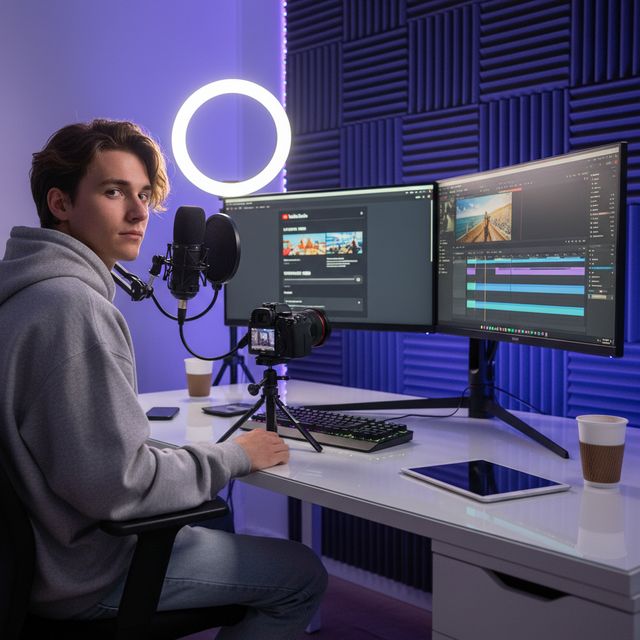
コンテンツクリエイター
YouTubeやソーシャルメディア用にアップロードを最適化
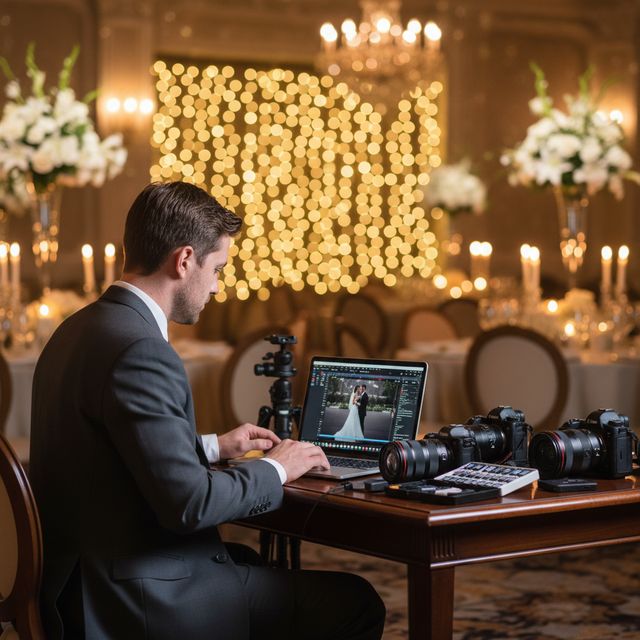
結婚式のビデオグラファー
数時間の式典映像を圧縮

IT & ストレージ
NASおよびサーバーのストレージスペースを回復
30日間の無料トライアル アカウントは不要 Windows 10/11
よくある質問
いいえ。VideoRecompress Studioは、ファイルサイズを削減しながら視覚的品質を保持する知覚品質設定 (CRF) を使用しています。ほとんどのユーザーは、元のバージョンと圧縮バージョンの違いを見分けることができません。
H.264, H.265/HEVC, AV1, and VP9. Hardware-accelerated encoding via NVIDIA NVENC, Intel QSV, and AMD AMF for dramatically faster processing.
素材によって異なります。11 本のクリップ(スマホ、GoPro、ドローン、タイムラプス、講義、結婚式、DV、Web 動画)でのテストでは、H.265 で 254.9 MB が NVIDIA GPU では 128.4 MB(−50 %)、CPU では 138.1 MB(−46 %)になりました。クリップごとの削減率はゼロから 96 % まで幅があります。すでに効率のよいファイルはそのまま残り、古い DV テープが最も小さくなりました。大きくなったファイルはありません。開始前に、アプリが削減量の見積もりを表示します。
はい。VideoRecompress Studioは任意のサイズのファイルを処理できます。最大スループットのために、並列ワーカーでフォルダー全体をバッチ処理します。
はい。無料トライアルは30日間有効で、最大10ファイルを圧縮できます。アカウントやクレジットカードは不要です。
© 2026 ContentaSoft AB. 全著作権所有。
無料トライアルは30日間完全に機能し、10ファイルの制限があります。無制限に使用するにはライセンスを購入してください。
システム要件
- Windows 10/11 (64ビット)
- デュアルコアプロセッサ(クアッドコア推奨)
- 最小4 GB RAM(8 GB推奨)
- インストールのために200 MBの空きディスクスペース
- ハードウェアアクセラレーションのためにNVIDIA、Intel、またはAMD GPU推奨
ウイルス対策ソフトやファイアウォールがダウンロードをブロックしていますか? 完全オフラインインストーラーを入手
ContentaSoft(スウェーデン、ウメオ)が開発・公開 — VideoRecompress Studio の開発元です。
VideoRecompress Studio は、最新コーデック(H.265、AV1、VP9)とハードウェアアクセラレーションを使用して、動画を一括圧縮・再エンコードする Windows デスクトップアプリケーションです。
本ソフトウェアにはアドウェア、スパイウェア、ツールバー、サードパーティ製のバンドルプログラムは含まれていません。インストーラーは VideoRecompress Studio と FFmpeg(オープンソース動画エンジン)のみをインストールします。
すべての動画はお使いのコンピューター上でローカルに処理されます。ファイルがサーバーにアップロードされることはありません。本ソフトウェアは個人データを収集しません。
30日間の無料体験版(10ファイルまで利用可能)。体験期間終了後はライセンスキーが必要です。永久ライセンス:$79(一回払い、サブスクリプションなし)。
アンインストール方法
Windows Settings > Apps > インストール済みアプリを開き、一覧から「VideoRecompress Studio」を見つけてアンインストールをクリックしてください。インストールフォルダーからアンインストーラーを実行するか、Control Panel > Programs and Features を使用することもできます。
ダウンロードサイズ:約2 MB(Webインストーラー)。FFmpeg を含む追加コンポーネントはインストール中にダウンロードされます。