Last ned VideoRecompress Studio
Komprimer videoer uten synlig kvalitetstap. I testen vår med 11 klipp reduserte H.265 på et NVIDIA-grafikkort 254,9 MB til 128,4 MB, og ingen fil ble større.
30 dager gratis Ingen konto nødvendig Windows 10/11 Mistet nøkkelen?

Støttede Kodeker & Kodere
Smart Videokomprimering
Reduser filstørrelser dramatisk samtidig som visuell kvalitet bevares. GPU-akselerert koding med moderne kodeker.
Moderne Kodek Støtte
Komprimer med H.264, H.265/HEVC, AV1 og VP9. Automatisk kodekvalg eller full manuell kontroll over CRF og bitrate.
GPU Akselerasjon
10x raskere koding med NVIDIA NVENC, Intel QSV og AMD AMF. Automatisk fallback til CPU hvis ingen kompatibel GPU oppdages.
Smarte Forhåndsinnstillinger
7 innebygde forhåndsinnstillinger for vanlige arbeidsflyter: telefonarkiv, YouTube-opplasting, bryllupsvideo, overvåkning, maksimal besparelse, og mer.
Batchbehandling
Komprimer hele mapper med parallelle arbeidere. Rekursiv skanning, overvåkede mapper og automatisk utdataorganisering.
Kvalitetsverifisering
Integritetskontroll etter koding sikrer at hver komprimerte fil spiller korrekt. SSIM og VMAF kvalitetsvurderinger tilgjengelig.
CLI & Automatisering
Full kommandolinjegrensesnitt for skripting og automatisering. Planlegg kompresjonsjobber eller integrer i eksisterende arbeidsflyter.
Slik fungerer det
Legg til videoer
Dra videofiler eller skann hele mapper. Støtter MP4, MKV, AVI, MOV, WebM, og 20+ formater.
Velg en forhåndsinnstilling
Velg en smart forhåndsinnstilling eller konfigurer kodek, kvalitet og innstillinger for koding manuelt.
Compress
Trykk Start. GPU-akselerert koding komprimerer videoene dine lokalt. Se estimert plassbesparelse i sanntid.
Hvem bruker dette

Hjemmevideobibliotek
Komprimer familievideoer for å spare diskplass
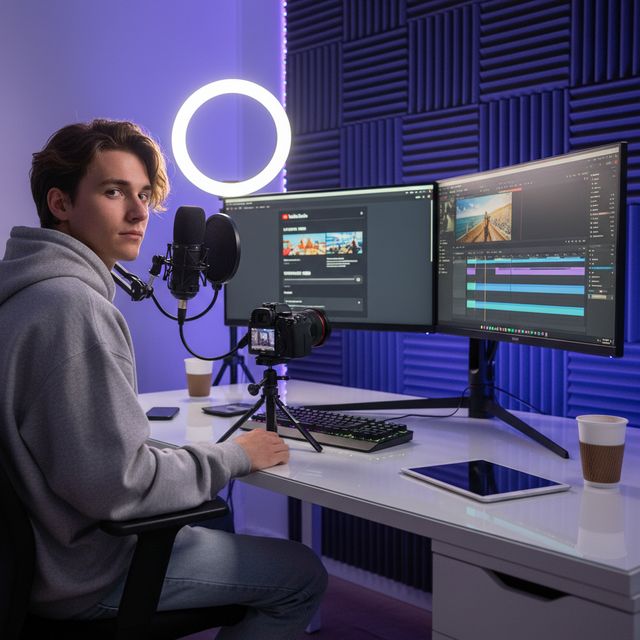
Innholdsprodusenter
Optimaliser opplastinger for YouTube og sosiale medier
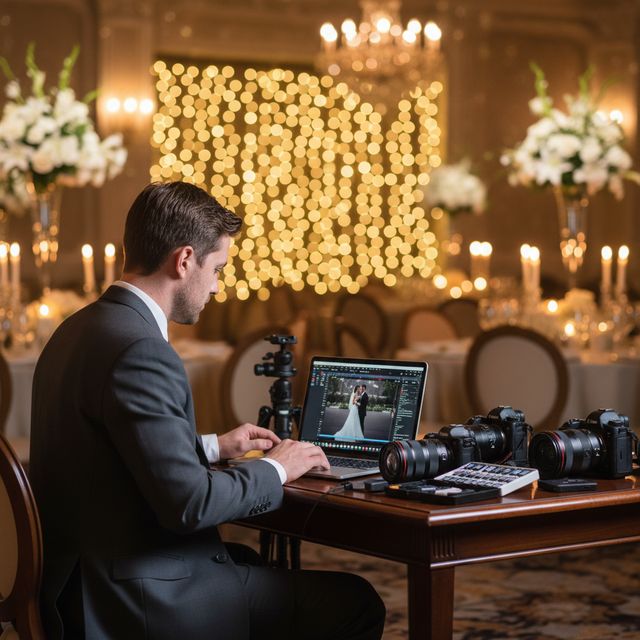
Bryllupsfotografer
Komprimer timer med seremonifotografi

IT & Lagring
Gjenopprett NAS- og serverlagringsplass
30 dager gratis Ingen konto nødvendig Windows 10/11
Ofte stilte spørsmål
Nei. VideoRecompress Studio bruker perseptuelle kvalitetsinnstillinger (CRF) som bevarer visuell kvalitet samtidig som filstørrelsen reduseres. De fleste brukere kan ikke se noen forskjell mellom den originale og den komprimerte versjonen.
H.264, H.265/HEVC, AV1, and VP9. Hardware-accelerated encoding via NVIDIA NVENC, Intel QSV, and AMD AMF for dramatically faster processing.
Det avhenger av opptakene dine. I testen vår med 11 klipp (mobil, GoPro, drone, timelapse, forelesning, bryllup, DV og nettvideo) reduserte H.265 254,9 MB til 128,4 MB (−50 %) på et NVIDIA-grafikkort og til 138,1 MB (−46 %) på prosessoren. Enkeltklipp sparte alt fra ingenting til 96 %: en fil som allerede er effektiv beholdes som den er, og et gammelt DV-bånd krympet mest. Ingen fil ble større. Appen viser beregnet besparelse før du starter.
Ja. VideoRecompress Studio håndterer filer av enhver størrelse. Behandle hele mapper i batch med parallelle arbeidere for maksimal gjennomstrømning.
Ja. Den gratis prøveversjonen varer i 30 dager og lar deg komprimere opptil 10 filer. Ingen konto eller kredittkort kreves.
© 2026 ContentaSoft AB. Alle rettigheter forbeholdt.
Den gratis prøveversjonen er fullt funksjonell i 30 dager med en grense på 10 filer. Kjøp en lisens for ubegrenset bruk.
Systemkrav
- Windows 10/11 (64-bit)
- Dobbeltkjernet prosessor (kvadruppelkjernet anbefales)
- Minimum 4 GB RAM (8 GB anbefales)
- 200 MB ledig diskplass for installasjon
- NVIDIA, Intel eller AMD GPU anbefales for maskinvareakselerasjon
Blokkerer antivirus eller brannmur nedlastingen? Last ned det komplette frakoblede installasjonsprogrammet
Utgitt av ContentaSoft, Umea, Sverige — utvikler av VideoRecompress Studio.
VideoRecompress Studio er en skrivebordsapplikasjon for Windows som batchkomprimerer og rekoder videoer med moderne kodeker (H.265, AV1, VP9) og maskinvareakselerasjon.
Denne programvaren inneholder ingen adware, spyware, verktøylinjer eller medfølgende tredjepartsprogrammer. Installasjonsprogrammet installerer kun VideoRecompress Studio og FFmpeg (åpen kildekode videomotor).
Alle videoer behandles lokalt på datamaskinen din. Ingen filer lastes opp til noen server. Programvaren samler ikke inn personlige data.
Gratis 30-dagers prøveperiode med 10 filer inkludert. Etter prøveperioden kreves en lisensnøkkel. Livstidslisens: $79 (engangsbetaling, uten abonnement).
Slik avinstallerer du
Åpne Windows Settings > Apps > Installerte apper, finn "VideoRecompress Studio" i listen og klikk på Avinstaller. Du kan også kjøre avinstallasjonsprogrammet fra installasjonsmappen eller bruke Control Panel > Programs and Features.
Nedlastingsstørrelse: ~2 MB (webinstallasjonsprogram). Ytterligere komponenter inkludert FFmpeg lastes ned under installasjonen.
Mer fra ContentaSoft
Contenta Converter PREMIUM
Konverter, skaler, gi nytt navn og forbedre tusenvis av bilder. AI-bakgrunnsfjerning, effekter og oppskalering. Engangskjøp.
AI Video Enhancer Studio
AI-drevet videooppskalering, støyfjerning, bildeinterpolasjon og stabilisering. Batchbehandling med GPU-akselerasjon.
3D CAD Converter
Konverter CAD-filer mellom STEP, IGES, STL, OBJ, glTF, 3MF og mer. Engangskjøp, uten abonnement.