VideoRecompress Studio herunterladen
Videos ohne sichtbaren Qualitätsverlust komprimieren. In unserem Test mit 11 Clips schrumpfte H.265 auf einer NVIDIA-GPU 254,9 MB auf 128,4 MB, und keine Datei wurde größer.
30 Tage kostenlos Kein Konto erforderlich Windows 10/11 Schlüssel verloren?

Unterstützte Codecs & Encoder
Intelligente Videokompression
Dateigrößen drastisch reduzieren und dabei die visuelle Qualität bewahren. GPU-beschleunigte Kodierung mit modernen Codecs.
Moderne Codec-Unterstützung
Komprimieren mit H.264, H.265/HEVC, AV1 und VP9. Automatische Codec-Auswahl oder vollständige manuelle Kontrolle über CRF und Bitrate.
GPU-Beschleunigung
10x schnellere Kodierung mit NVIDIA NVENC, Intel QSV und AMD AMF. Automatischer Rückfall auf CPU, wenn keine kompatible GPU erkannt wird.
Intelligente Presets
7 integrierte Presets für gängige Arbeitsabläufe: Telefonarchiv, YouTube-Upload, Hochzeitsvideo, Überwachung, maximale Einsparungen und mehr.
Batch-Verarbeitung
Komprimieren Sie ganze Ordner mit parallelen Arbeitern. Rekursive Scans, Überwachungsordner und automatische Ausgabeorganisation.
Qualitätsprüfung
Integritätsprüfung nach der Kodierung stellt sicher, dass jede komprimierte Datei korrekt abgespielt wird. SSIM- und VMAF-Qualitätswerte verfügbar.
CLI & Automatisierung
Vollständige Befehlszeilenschnittstelle für Skripting und Automatisierung. Komprimierungsjobs planen oder in bestehende Arbeitsabläufe integrieren.
So funktioniert es
Videos hinzufügen
Videodateien ablegen oder ganze Ordner scannen. Unterstützt MP4, MKV, AVI, MOV, WebM und 20+ Formate.
Ein Preset wählen
Ein intelligentes Preset auswählen oder Codec, Qualität und Kodierungseinstellungen manuell konfigurieren.
Compress
Auf Start klicken. GPU-beschleunigte Kodierung komprimiert Ihre Videos lokal. Geschätzte Speicherplatzersparnis in Echtzeit sehen.
Wer nutzt das

Heimvideo-Archiv
Komprimieren Sie Familienvideos, um Speicherplatz zu sparen
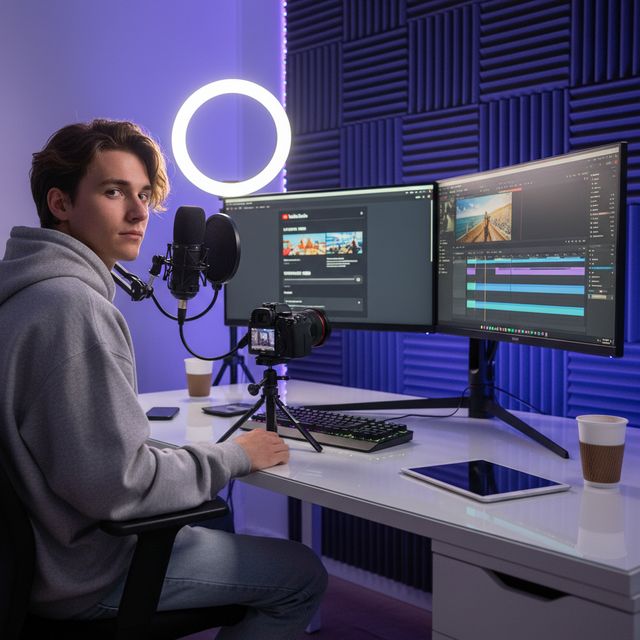
Inhaltsersteller
Optimieren Sie Uploads für YouTube & soziale Medien

Hochzeitsvideografen
Komprimieren Sie Stunden von Zeremonienaufnahmen

IT & Speicher
Wiederherstellung von NAS- und Server-Speicherplatz
30 Tage kostenlos Kein Konto erforderlich Windows 10/11
Häufig gestellte Fragen
Nein. VideoRecompress Studio verwendet wahrnehmungsbasierte Qualitätseinstellungen (CRF), die die visuelle Qualität bewahren und gleichzeitig die Dateigröße reduzieren. Die meisten Benutzer können keinen Unterschied zwischen der Original- und der komprimierten Version erkennen.
H.264, H.265/HEVC, AV1, and VP9. Hardware-accelerated encoding via NVIDIA NVENC, Intel QSV, and AMD AMF for dramatically faster processing.
Das hängt von Ihrem Material ab. In unserem Test mit 11 Clips (Handy, GoPro, Drohne, Zeitraffer, Vorlesung, Hochzeit, DV und Webvideo) schrumpfte H.265 254,9 MB auf 128,4 MB (−50 %) auf einer NVIDIA-GPU und auf 138,1 MB (−46 %) auf der CPU. Einzelne Clips sparten zwischen nichts und 96 %: Eine bereits effiziente Datei bleibt unverändert, ein altes DV-Band schrumpfte am stärksten. Keine Datei wurde größer. Die App zeigt die geschätzte Ersparnis, bevor Sie starten.
Ja. VideoRecompress Studio verarbeitet Dateien jeder Größe. Verarbeiten Sie ganze Ordner im Batch mit parallelen Arbeitern für maximale Durchsatz.
Ja. Die kostenlose Testversion dauert 30 Tage und ermöglicht es Ihnen, bis zu 10 Dateien zu komprimieren. Kein Konto oder Kreditkarte erforderlich.
© 2026 ContentaSoft AB. Alle Rechte vorbehalten.
Die kostenlose Testversion ist 30 Tage lang voll funktionsfähig mit einer Begrenzung von 10 Dateien. Kaufen Sie eine Lizenz für unbegrenzte Nutzung.
Systemanforderungen
- Windows 10/11 (64-Bit)
- Dual-Core-Prozessor (Quad-Core empfohlen)
- Mindestens 4 GB RAM (8 GB empfohlen)
- 200 MB freier Speicherplatz für die Installation
- NVIDIA, Intel oder AMD GPU empfohlen für Hardwarebeschleunigung
Antivirus oder Firewall blockiert den Download? Vollständiges Offline-Installationsprogramm herunterladen
Herausgegeben von ContentaSoft, Umea, Schweden — Entwickler von VideoRecompress Studio.
VideoRecompress Studio ist eine Desktop-Anwendung für Windows, die Videos im Stapelverfahren komprimiert und mit modernen Codecs (H.265, AV1, VP9) und Hardwarebeschleunigung neu kodiert.
Diese Software enthält keine Adware, Spyware, Toolbars oder gebündelte Drittanbieterprogramme. Das Installationsprogramm installiert ausschließlich VideoRecompress Studio und FFmpeg (Open-Source-Video-Engine).
Alle Videos werden lokal auf Ihrem Computer verarbeitet. Es werden keine Dateien auf einen Server hochgeladen. Die Software erfasst keine personenbezogenen Daten.
Kostenlose 30-Tage-Testversion mit 10 Dateien inklusive. Nach der Testphase ist ein Lizenzschlüssel erforderlich. Lebenslange Lizenz: $79 (einmalige Zahlung, kein Abonnement).
So deinstallieren Sie die Software
Öffnen Sie Windows Settings > Apps > Installierte Apps, suchen Sie "VideoRecompress Studio" in der Liste und klicken Sie auf Deinstallieren. Sie können auch das Deinstallationsprogramm im Installationsordner ausführen oder Control Panel > Programs and Features verwenden.
Downloadgröße: ~2 MB (Web-Installer). Zusätzliche Komponenten einschließlich FFmpeg werden während der Installation heruntergeladen.
Weitere Produkte von ContentaSoft
Contenta Converter PREMIUM
Tausende Fotos konvertieren, skalieren, umbenennen und verbessern. KI-Hintergrundentfernung, Effekte und Upscaling. Einmalkauf.
AI Video Enhancer Studio
KI-gestütztes Video-Upscaling, Rauschentfernung, Frame-Interpolation und Stabilisierung. Stapelverarbeitung mit GPU-Beschleunigung.
3D CAD Converter
CAD-Dateien zwischen STEP, IGES, STL, OBJ, glTF, 3MF und mehr konvertieren. Einmalkauf, kein Abo.