Reclaim your disk space — without sacrificing quality
Drop in a whole folder of videos and shrink them with H.265, AV1 or VP9. On our 11-clip test set, H.265 on an NVIDIA GPU cut 254.9 MB to 128.4 MB and no file came out bigger. No visible quality loss, no upload, no subscription, all on your PC.
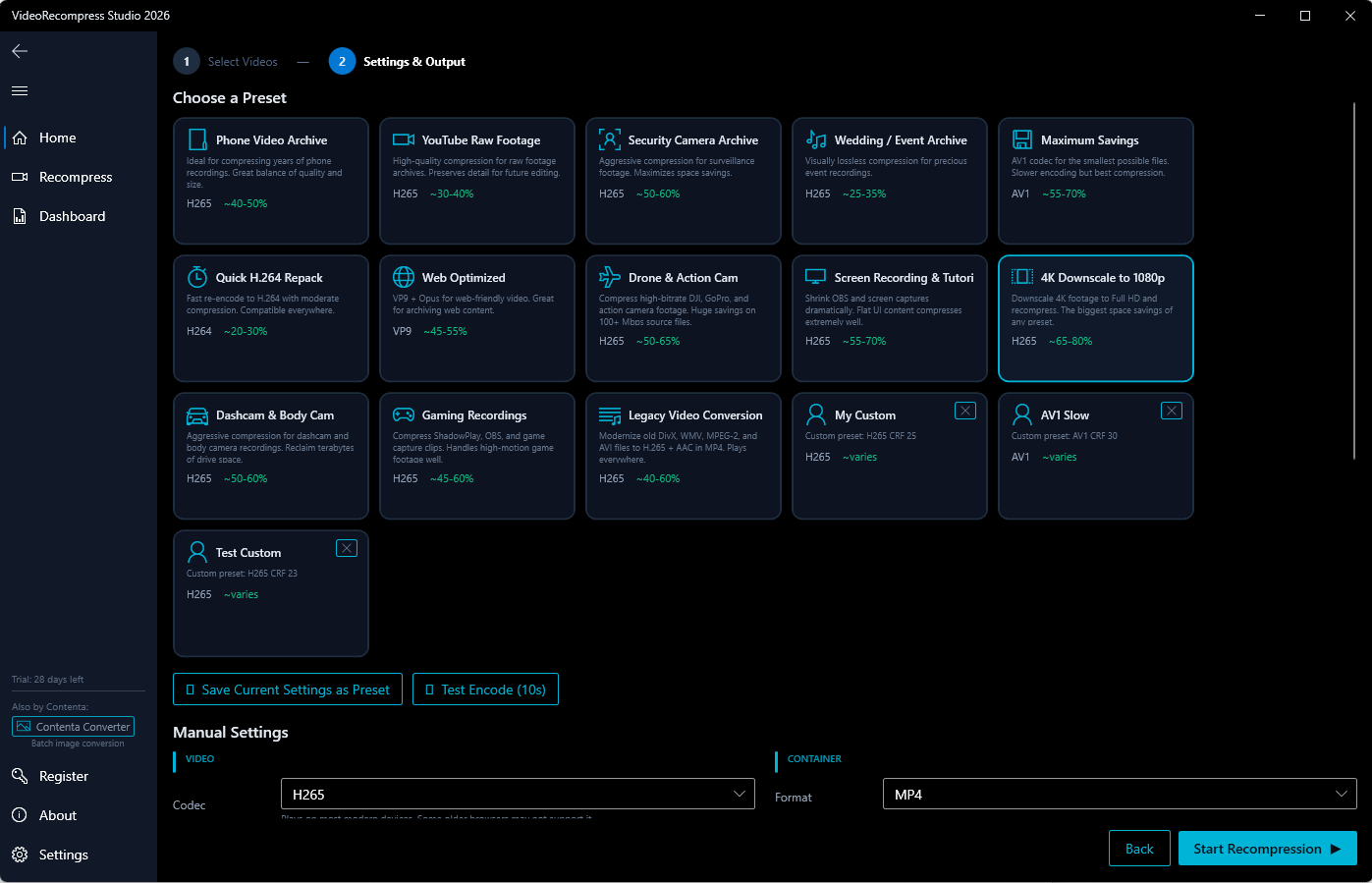
Modern Video Codecs
Re-encode your videos with next-generation compression for massive space savings.
Hardware Accelerated
Encode on your graphics card with NVIDIA NVENC, Intel QSV or AMD AMF. On an RTX 3080, H.265 encoded 8–17× faster than on a Ryzen 9 3900X (6 clips).
Smart Presets
Choose from 24 built-in presets, among them Phone Video Archive, YouTube Raw Footage, Security Camera Archive and Wedding / Event Archive.
Batch Processing
Drop entire folders and let the multi-worker queue process hundreds of videos while you focus on other work.
See the Difference
Same quality, fraction of the file size.
How It Works
Select Videos
Drop files or entire folders into the app. Supports 20+ video formats including MP4, MKV, AVI, and MOV.
Choose a Preset
Pick one of 24 built-in presets or set codec, quality and hardware encoding yourself.
Save Space
Hit Start. On our 11 test clips this halved the total size, from 254.9 MB to 128.4 MB with H.265 on an NVIDIA GPU. Your original files are never modified.
More Than Just Compression
Built-in tools for your entire video workflow.
Video Trimming
Cut intros, remove endings, or extract specific segments while recompressing.
Audio Extraction
Extract audio tracks to MP3, FLAC, AAC, Opus, or WAV with one click.
GIF Creation
Turn any video clip into high-quality animated GIFs with palette optimization.
Watermarking
Add text or logo watermarks to all your videos in one batch pass.
What Users Say
I freed up over 800 GB on my NAS by re-encoding old surveillance footage. The GPU acceleration made it surprisingly fast.
Perfect for archiving wedding videos. My clients get smaller files to share, and the quality is indistinguishable from the originals.
I was skeptical about AV1, but the savings are incredible. My YouTube raw files went from 50 GB to under 15 GB each.
VideoRecompress vs. Free Tools
Professional results without the learning curve.
| VideoRecompress Studio | Free Tools (HandBrake, FFmpeg) | |
|---|---|---|
| Smart presets for common workflows | ✔ | ✘ |
| One-click batch processing | ✔ | ✘ |
| GPU acceleration out of the box | ✔ | Manual setup |
| Setup time | Instant | Complex |
| Dedicated support | ✔ | ✘ |
| Trim + compress in one pass | ✔ | ✘ |
How We Compare to Paid Alternatives
Same features, one-time price. No subscription required.
| VideoRecompress | Wondershare | Movavi | VideoProc | |
|---|---|---|---|---|
| Price | $79 one-time | $40/year | $40/year | $26/year |
| Watch folders (auto-process) | ✔ | ✘ | ✘ | ✘ |
| Command-line interface | ✔ | ✘ | ✘ | ✘ |
| VMAF/SSIM quality scores | ✔ | ✘ | ✘ | ✘ |
| Highlight reel generation | ✔ | ✘ | ✘ | ✘ |
| Video stabilization | ✔ | ✘ | ✘ | ✔ |
| Subtitle burn-in | ✔ | ✔ | ✔ | ✘ |
| GPU acceleration | ✔ | ✔ | ✔ | ✔ |
Frequently Asked Questions
No. Your original files are never touched. VideoRecompress Studio creates new compressed copies and leaves the originals exactly as they are.
Yes. All resolutions are supported, from standard definition up to 8K. Hardware acceleration makes high-resolution encoding fast and practical.
NVIDIA NVENC (GeForce GTX/RTX), Intel Quick Sync Video (QSV), and AMD AMF (Radeon RX). The software automatically detects your GPU and falls back to software encoding if needed.
VideoRecompress Studio is purpose-built for batch recompression. You get smart presets, one-click GPU acceleration, multi-worker batch processing, built-in trimming, GIF creation, and dedicated support — all without manual configuration.
30-day free trial: your first 10 files convert with no watermark; after that files get a watermark and a 10-minute cap. Buying removes both.
Start Saving Space Today
One-time purchase. No subscription. Free updates for life.
One-time payment — yours forever