Features
Everything you need to compress, re-encode, and archive your video library.
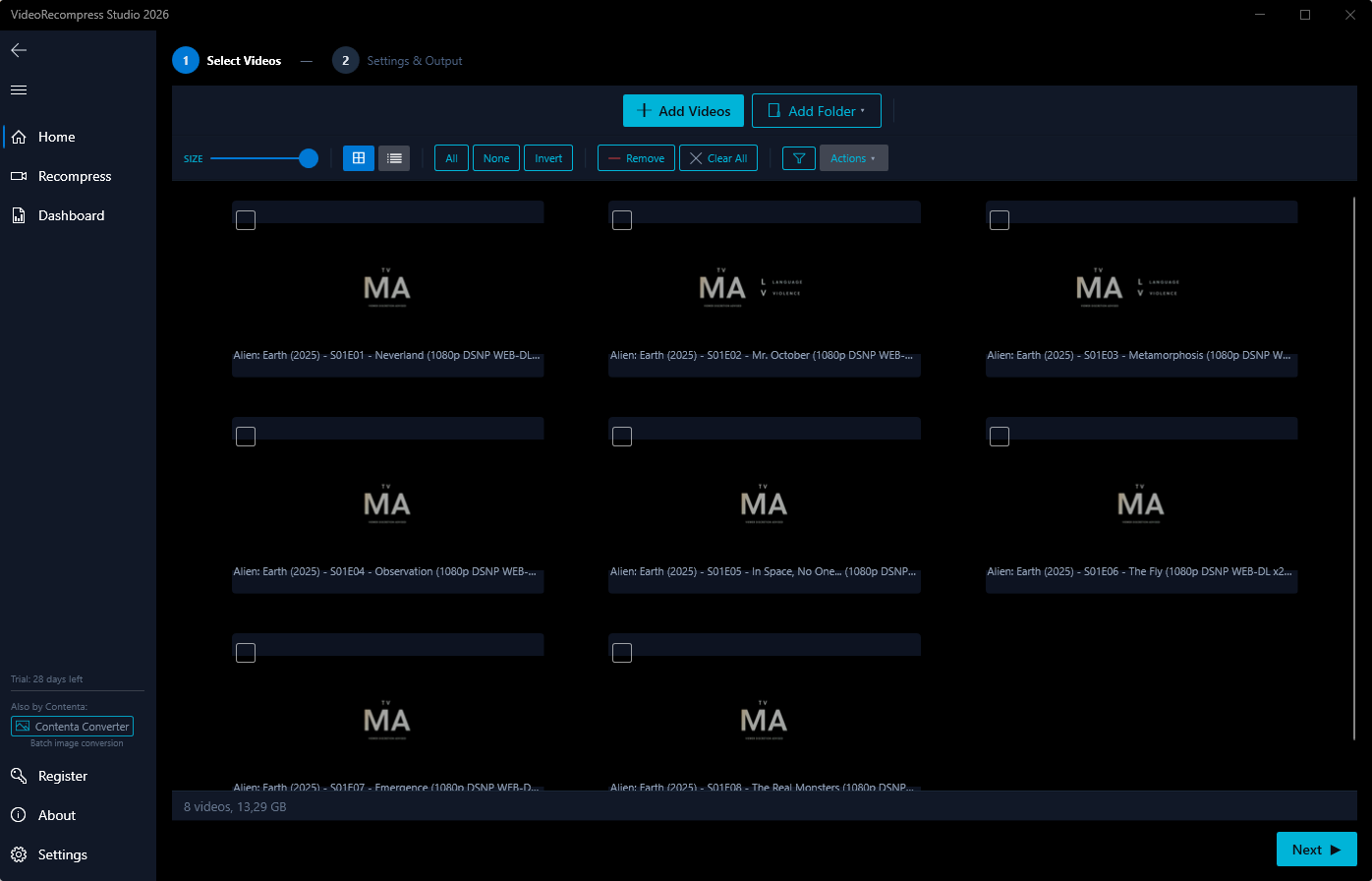
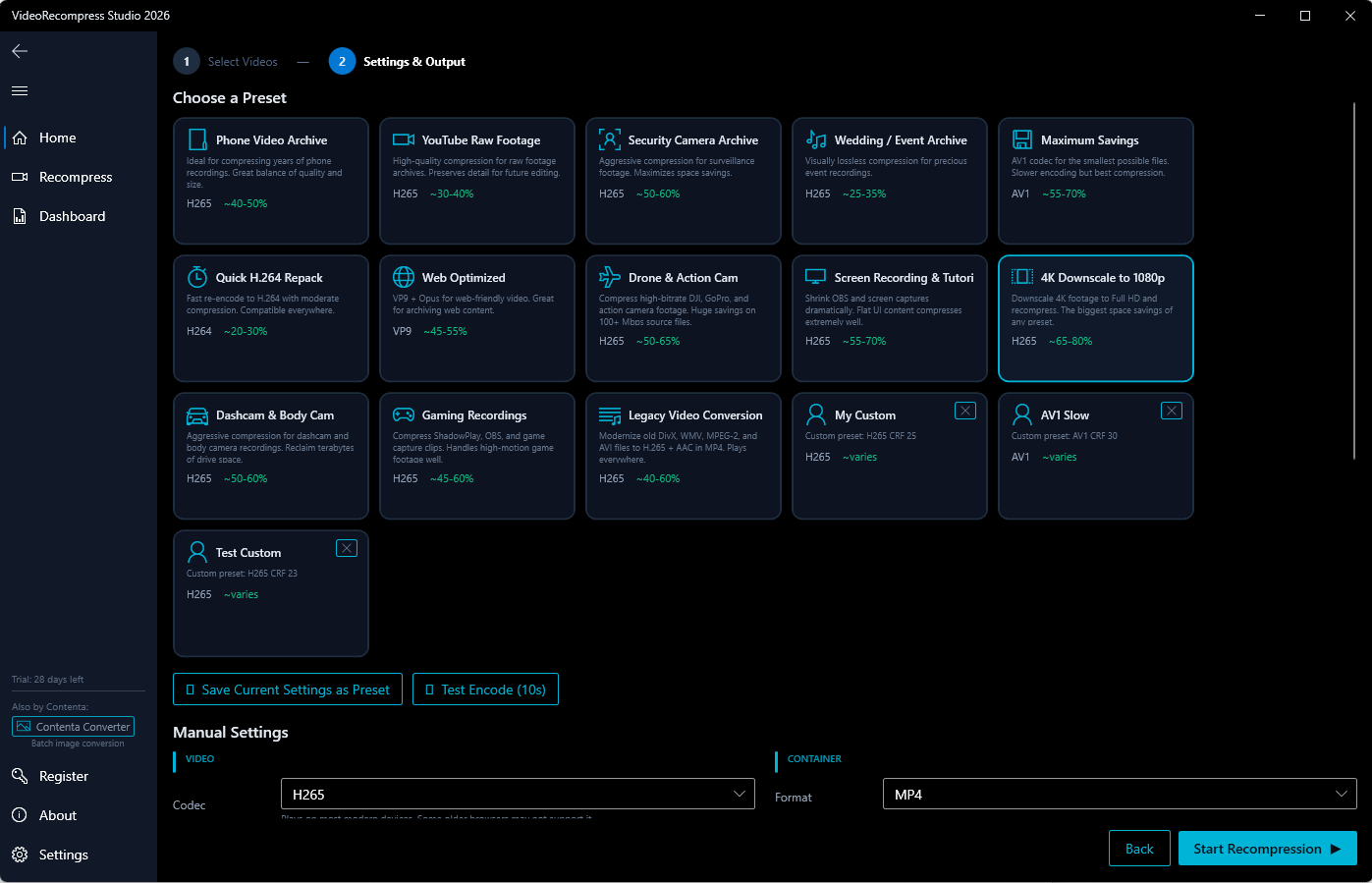
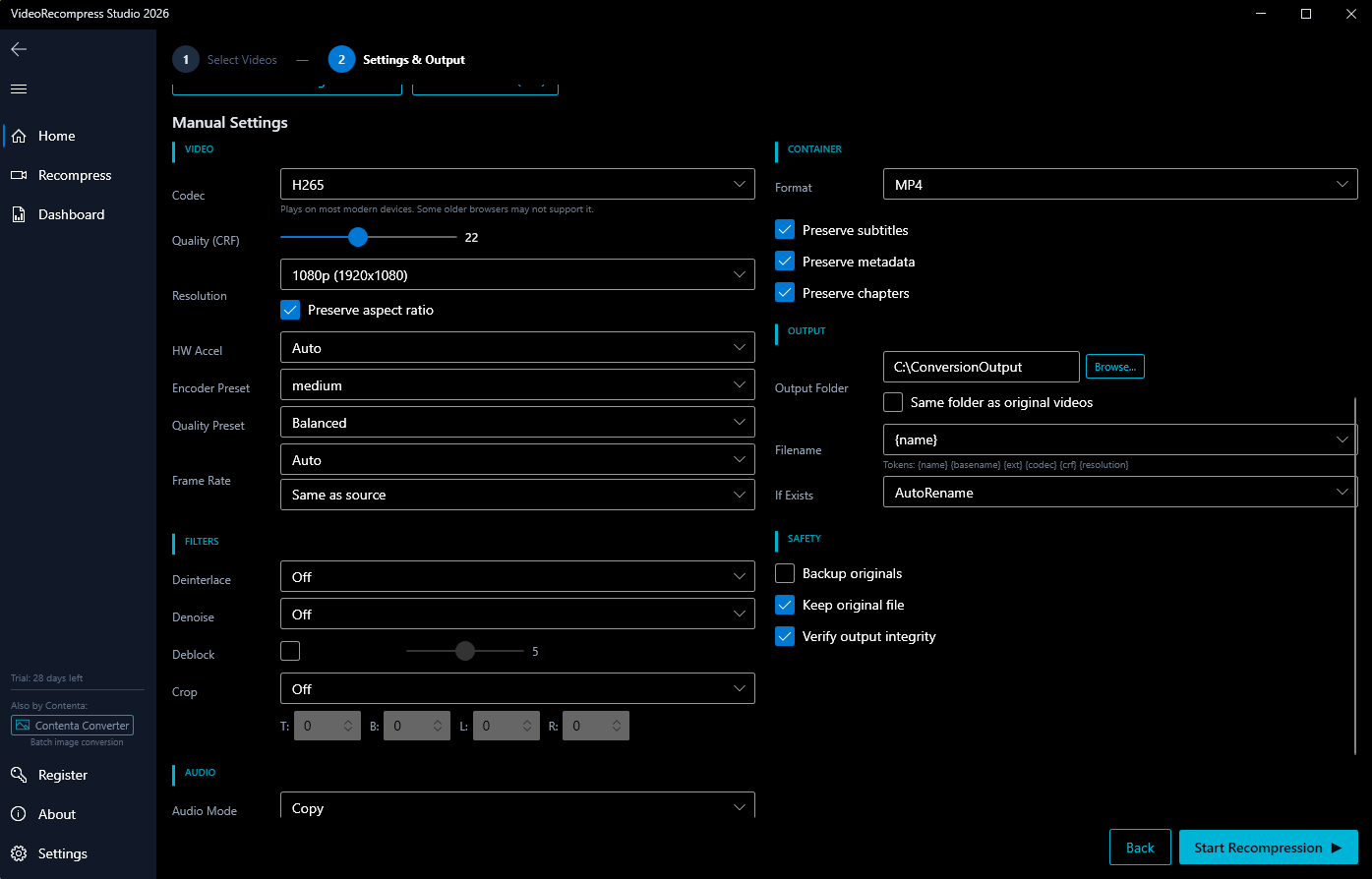
See It In Action
Real screenshots from VideoRecompress Studio — no mockups, just the actual app.


Why VideoRecompress?
Half the size on our 11 test clips
H.265 on an NVIDIA GPU took our 11 test clips from 254.9 MB to 128.4 MB with no visible quality loss. If an encode would come out bigger than the source, the app keeps the original.
No Visible Quality Loss
Side-by-side, you won't see the difference. Smart encoding preserves visual quality while cutting file size.
Process Hundreds of Videos at Once
Drop entire folders and walk away. Multi-worker encoding handles your whole library automatically.
GPU-Accelerated Speed
Finish in minutes, not hours. Hardware acceleration uses your existing GPU for up to 10x faster encoding.
AV1 Hardware Encoding
Encode to AV1 — the most efficient modern codec — with full NVIDIA NVENC GPU acceleration. Get ~30% smaller files than HEVC at the same quality, with hardware speed. Includes an 'AV1 Maximum Savings' preset for the smallest possible archives.
Video Trimming
Trim videos while recompressing — skip intros, remove endings, or keep a specific time range. Batch or per-file control.
Extract Image Sequences
Extract video frames as image sequences in PNG, JPEG, BMP, TIFF, or WebP. Six extraction modes including evenly-spaced thumbnails and contact sheet generation. Works with trim, resize, and filter operations.
Extract Audio
Extract audio tracks from video files to MP3 (CBR/VBR), FLAC (lossless), AAC, Opus, or WAV. One-click extraction with configurable quality settings. Perfect for podcast listeners, musicians, and language learners.
GIF Creation
Create high-quality animated GIFs from any video clip. Two-pass palette optimization, batch processing, customizable frame rate, resolution, and dithering.
Batch Watermark & Logo Overlay
Add text or image watermarks to all your videos in one pass. Choose from 9 screen positions, adjust opacity and scale, and protect your content at scale. Supports PNG logos with transparency.
- Text Watermark
- Image/Logo Watermark
- 9 Positions
- Adjustable Opacity & Scale
Rotate & Flip
Rotate videos 90°, 180°, or flip horizontally/vertically. Fix sideways phone recordings or create mirror effects in batch.
Speed Change
Create slow-motion (0.25x) or timelapse (up to 4x) from any video. Audio pitch is preserved automatically.
Video Stabilization
Smooth out shaky footage from handhelds, drones, and action cams. Two-pass analysis detects motion, then applies professional smoothing.
Subtitle Burn-In
Hardcode subtitles permanently into your videos. Supports embedded tracks and external SRT/ASS files with font customization.
Smart Presets
Phone Archive
40-50%H.265 CRF 23 — ideal for home videos. Saves 40-50% disk space.
YouTube Raw
30-40%H.265 CRF 20 — designed for content creators. Saves 30-40% disk space.
Security Archive
50-60%H.265 CRF 28 — perfect for surveillance footage. Saves 50-60% disk space.
Wedding Archive
25-35%H.265 CRF 18 — preserves maximum detail for videographers. Saves 25-35% disk space.
Max Savings
55-70%AV1 CRF 35 — aggressive compression for any content. Saves 55-70% disk space.
Quick H.264
20-30%H.264 CRF 23 — fast and widely compatible. Saves 20-30% disk space.
Web Optimized
45-55%VP9 CRF 30 — ideal for web content. Saves 45-55% disk space.
GIF Creator
GIFCreate animated GIFs from video clips. Perfect for social media, documentation, and marketing.
H.265 at 480p, under 16 MB — optimized for WhatsApp's file size limit.
Email Attachment
55-70%H.264 at 480p, under 20 MB — compatible with all email clients.
Discord (Free)
70-85%H.265 at 480p, under 10 MB — fits Discord's free upload limit.
Twitter / X
30-45%H.264 at 720p with AAC audio — meets Twitter/X upload requirements.
Instagram Reels
30-45%H.264 at 1080x1920 vertical — formatted for Instagram Reels and Stories.
TikTok
30-45%H.264 at 1080x1920 vertical — optimized for TikTok uploads.
iPhone to MP4
10-25%Converts iPhone MOV/HEVC to H.264 MP4 — plays everywhere.
Full Feature List
Codec Comparison
| H.264 | H.265 / HEVC | AV1 | VP9 | |
|---|---|---|---|---|
| Quality | Good | Excellent | Excellent | Very Good |
| Encoding Speed | Fast | Medium | Slow | Slow |
| Compatibility | Universal | Wide | Growing | Web-focused |
| File Size | Larger | ~50% smaller than H.264 | ~60% smaller than H.264 | ~50% smaller than H.264 |
| GPU Acceleration | NVENC, QSV, AMF | NVENC, QSV, AMF | NVENC, QSV, AMF | QSV only |
Hardware Acceleration
Automatically detects and uses your GPU for blazing fast encoding. Falls back to software if no compatible hardware is found.
NVIDIA NVENC
H.264, H.265, AV1 encoding on GeForce GTX/RTX and Quadro GPUs.
Intel QSV
H.264, H.265, AV1, VP9 encoding on Intel Core processors with integrated graphics.
AMD AMF
H.264, H.265, AV1 encoding on AMD Radeon RX and APU graphics.
Automatic hardware to software fallback
Reclaim your disk space — without sacrificing quality
Drop in a whole folder of videos and shrink them with H.265, AV1 or VP9. On our 11-clip test set, H.265 on an NVIDIA GPU cut 254.9 MB to 128.4 MB and no file came out bigger. No visible quality loss, no upload, no subscription, all on your PC.
30-day free trial. No credit card required.