Downscale 4K Video to 1080p
Cut huge 4K files down to size by reducing the resolution to 1080p or 720p — in batch, with the original kept untouched.
Most screens, TVs and phones display 1080p. Storing everything in 4K wastes disk space and bandwidth. VideoRecompress downscales whole folders at once.
Download Free TrialWhy downscale 4K to 1080p?
A minute of 4K footage can be four times larger than the same clip at 1080p. If you never watch on a 4K display, that extra resolution is pure storage cost.
Lowering the resolution to 1080p together with H.265 shrinks files the most. With the 4K Downscale to 1080p preset on an RTX 3080, our two 17-second 4K iPhone clips went from 67.4 MB to 21.9 MB and from 69.2 MB to 20.2 MB, in under 3 seconds each.
- Free up huge amounts of disk and NAS space
- Upload and share 1080p files far faster
- Play smoothly on laptops, TVs and older devices
Recommended downscale targets
Pick the resolution that matches how you will actually watch the video, then let VideoRecompress handle the encoding.
| Use case | Resolution | Codec |
|---|---|---|
| Everyday viewing & archive | 1920x1080 | H.265 |
| Phones, email & messaging | 1280x720 | H.265 |
| Smallest files, max savings | 1920x1080 | AV1 |
How to downscale 4K to 1080p
Add your 4K videos
Drag in single files or whole folders. Mixed formats and frame rates are fine.
Set the target resolution
Choose the 4K-to-1080p preset or set a custom height. The aspect ratio is kept automatically.
Start the batch
GPU-accelerated encoding processes every file. Originals are kept unless you choose to replace them.
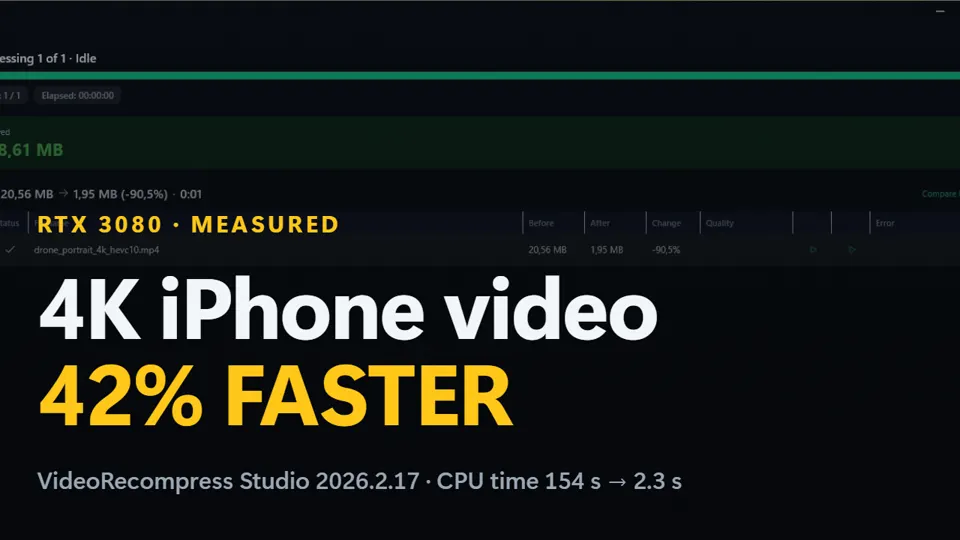
Watch: a 4K iPhone clip to 1080p H.264 on an NVIDIA card, 20.56 MB down to 1.95 MB
- Jump to
Windows · free trial · pay once, no subscription
Recorded on one PC with an NVIDIA RTX 3080. Without an NVIDIA card the conversion still works; the processor decodes and resizes instead.
Sharp 1080p, a fraction of the size
VideoRecompress uses high-quality scaling and modern codecs so the downscaled 1080p output stays crisp. You keep the detail your screen can show — and drop the bytes it cannot.
Shrink your 4K library to 1080p today
Free to try. Batch-downscale 4K to 1080p or 720p on your own PC — no upload, no subscription.
Download Free TrialPublished by ContentaSoft, Umea, Sweden — developer of VideoRecompress Studio.
VideoRecompress Studio is a desktop application for Windows that batch compresses and re-encodes videos using modern codecs (H.265, AV1, VP9) with hardware acceleration.
This software contains no adware, spyware, toolbars, or bundled third-party programs. The installer installs only VideoRecompress Studio and FFmpeg (open-source video engine).
All videos are processed locally on your computer. No files are uploaded to any server. The software does not collect personal data.
Free trial with no time limit: your first 10 files convert with no watermark; after that files get a watermark and a 10-minute cap. Buying removes both. Lifetime license: $79 (one-time payment, no subscription).
Download size: ~2 MB (web installer). Additional components including FFmpeg are downloaded during installation.
How to Uninstall
Open Windows Settings > Apps > Installed apps, find "VideoRecompress Studio" in the list, and click Uninstall. You can also run the uninstaller from the installation folder or use Control Panel > Programs and Features.